10 Game-Changing Real Estate Social Media Posts for 2026

In today's competitive market, generic "Just Listed" posts and stock photos of houses no longer capture attention. To build trust and generate leads, real estate agents need a smarter, more dynamic approach to their social media strategy. The most effective real estate social media posts are not just announcements; they are value-packed conversations that position you as a knowledgeable market authority. This guide moves beyond the basics, offering a blueprint of specific, actionable post ideas designed to engage your audience and drive tangible business results.
This comprehensive list provides ready-to-implement templates that do more than just showcase a property. We will explore how to leverage powerful AI tools to create compelling content, from visually striking Comparative Market Analysis (CMA) snapshots to impressive virtual staging transformations. These strategies are built to save you time while producing high-impact content that converts followers into loyal clients. To truly captivate your audience and stop the scroll, it's essential to understand the fundamentals of how to create truly engaging social media content that resonates.
Each item in our roundup is a practical tool you can use immediately. We'll cover everything from interactive polls that spark conversation to behind-the-scenes videos that build your personal brand. By integrating data-driven insights and AI-generated visuals, your social media feed will transform from a simple portfolio into an indispensable resource for buyers and sellers, helping you stand out and thrive in a crowded digital landscape. Get ready to elevate your online presence with posts that deliver real value and attract serious clients.
1. Before & After CMA Snapshot Posts
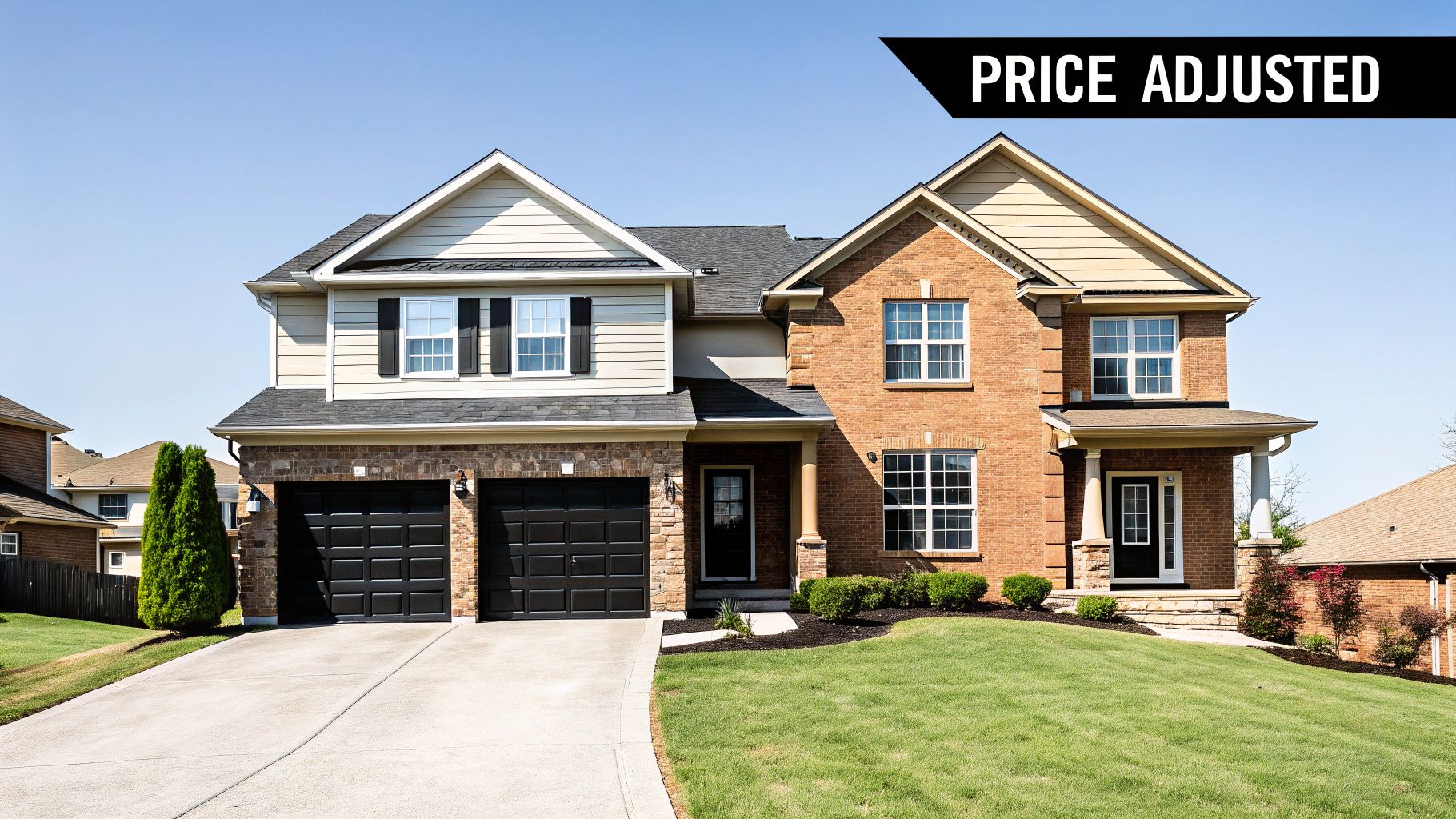
One of the most effective real estate social media posts you can create leverages data to build immediate trust and showcase your market expertise. A "Before & After CMA Snapshot" post visually contrasts an initial, often emotionally-driven, home price with a data-backed Comparative Market Analysis (CMA) price. This format transparently demonstrates the value of accurate pricing strategy, positioning you as a knowledgeable advisor rather than just a salesperson.
The concept is simple yet powerful: you create a side-by-side graphic. The "Before" side might show a homeowner's desired price or a Zestimate, while the "After" side displays the more strategic listing price recommended by a sophisticated tool like Saleswise. This directly addresses a primary seller concern: "What is my home really worth?"
Why This Post Works
This approach excels because it educates your audience on the nuances of property valuation. It's a tangible demonstration of your process, showing followers that you rely on robust data, not guesswork. National brands like Redfin and brokerages such as Keller Williams often use this method to highlight market shifts and pricing accuracy, reinforcing their authority.
Key Insight: By visualizing the difference between perception and data-driven reality, you’re not just posting a listing; you’re providing a valuable mini-lesson in real estate strategy. This builds credibility and attracts serious sellers who appreciate a methodical approach.
How to Implement It
- Generate the Data: Use a tool like Saleswise to create a detailed, AI-powered CMA for a recent or hypothetical property.
- Design a Branded Template: In a design tool like Canva, create a simple, reusable "Before & After" template with your brand's colors and logo. Clearly label the two sides: "Initial Price Idea" and "Data-Backed CMA Price."
- Craft a Compelling Caption: Your caption should briefly explain the outcome. For example: "Pricing strategy is everything! We helped our clients adjust their listing from $799k to a strategic $775k based on our deep market analysis, leading to multiple offers in the first weekend. A smart price gets you the best price."
- Include a Strong CTA: Always guide your audience to the next step. A simple "Curious about your home's true value? DM me for a complimentary, no-obligation CMA!" is highly effective.
2. Virtual Staging Transformation Posts
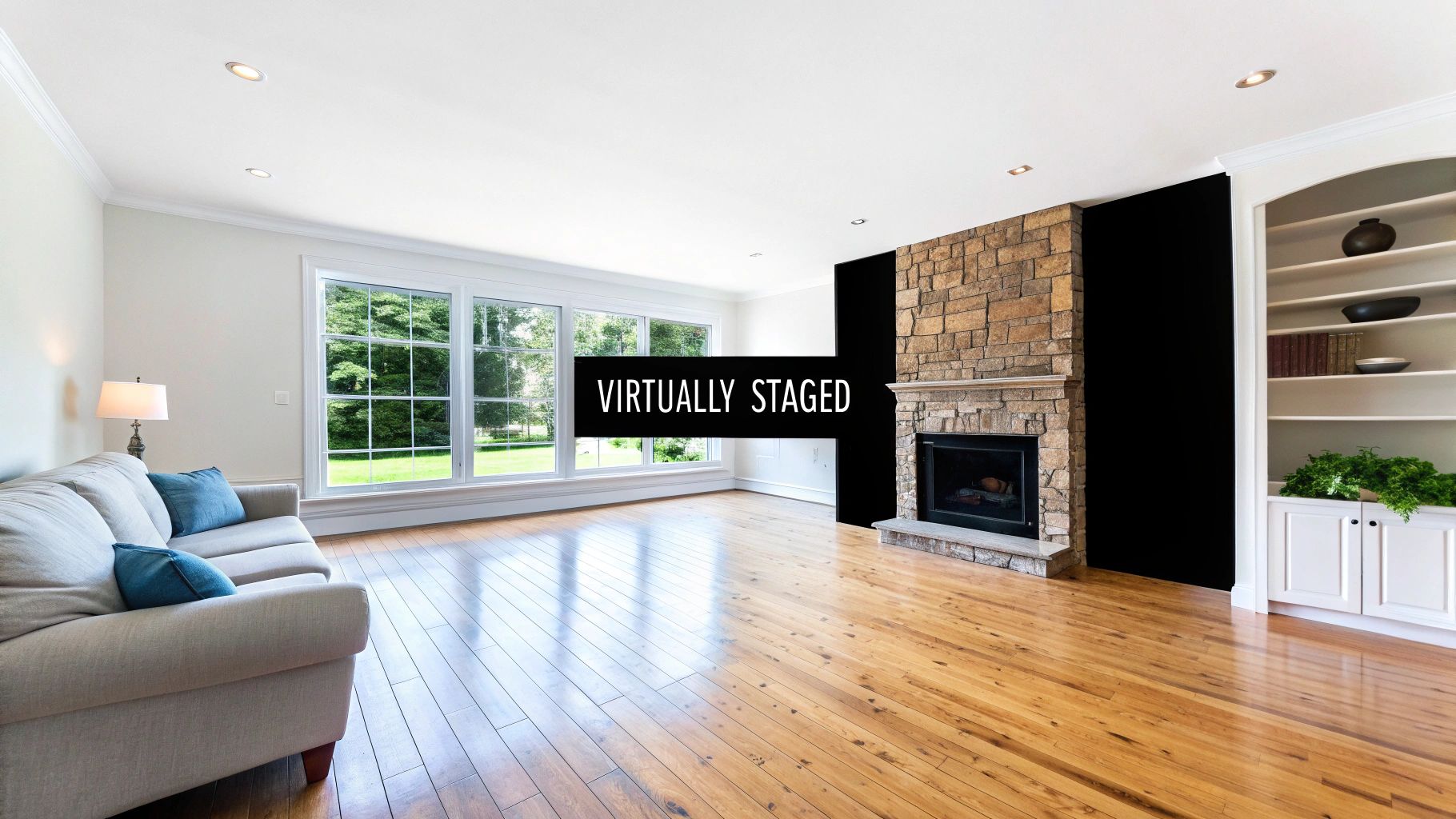
One of the most visually arresting real estate social media posts you can create is a virtual staging transformation. This post showcases a side-by-side or carousel comparison of an empty, unfurnished room next to its fully furnished, virtually staged counterpart. By using a tool like Saleswise to generate these images, you help potential buyers overcome the "vision gap," allowing them to see a vacant space as a warm and inviting home.
This strategy is incredibly effective because it transforms a cold, empty listing into a relatable and aspirational space. It addresses the common buyer challenge of visualizing how their furniture will fit or how a room could be used. This visual storytelling helps a property’s online presence stand out, capturing attention far more effectively than photos of vacant rooms.
Why This Post Works
This approach works by tapping into the emotional side of home buying. An empty room feels sterile, but a virtually staged one tells a story and allows buyers to picture their life there. Companies like BoxBrownie and platforms like Matterport have popularized this technique, proving its power to increase buyer interest and perceived home value. By showing different decor styles, you can appeal to a broader audience.
Key Insight: Virtual staging posts don't just show a property; they sell a lifestyle. By demonstrating a home's potential, you make an emotional connection with buyers, helping them to see past empty walls and envision their future.
How to Implement It
- Generate Your Images: Use Saleswise’s AI to instantly create multiple virtual staging options for a vacant property. Choose a few different styles, like "Modern Farmhouse" or "Scandinavian," to showcase versatility.
- Create a Carousel or Reel: On Instagram, a carousel post is perfect for a "swipe to see the after" reveal. For a more dynamic option, create a short video or Reel showing the fade-in transformation.
- Craft an Engaging Caption: Your caption should highlight the power of vision. For example: "It’s hard to see the potential in an empty room, right? Swipe to see how we brought this space to life with virtual staging! Which style is your favorite: 1, 2, or 3? Let me know in the comments!"
- Add a Clear CTA: Encourage interaction and lead generation. Add a call to action like, "Selling a vacant home? Ask me how our virtual staging service can help you attract more buyers and sell faster." For more ideas, explore these powerful virtual staging before and after examples.
3. AI Remodel Concept Showcases
One of the most engaging types of real estate social media posts taps into a homeowner's imagination by visualizing a property's hidden potential. An AI Remodel Concept Showcase uses technology to transform a photo of an existing space, like a dated kitchen or an unfinished basement, into a stunning, fully renovated version. This allows you to show, not just tell, buyers how they can add value and personalization to a home.
The concept leverages AI tools, such as the virtual remodel feature in Saleswise, to generate realistic mockups. You can present a "current view" next to a "potential view," highlighting specific changes like removing a wall, adding a kitchen island, or updating bathroom fixtures. This tactic turns a property’s perceived flaws into exciting opportunities, directly addressing the buyer question: "What could this space become?"
Why This Post Works
This strategy is highly effective because it helps buyers overcome vision gaps and see a home's future value. It's a powerful tool for marketing listings that need cosmetic updates, making them more appealing to a broader audience. Platforms like Houzz and Zillow have popularized this visual-first approach, proving that aspirational content drives high engagement and helps buyers form an emotional connection to a property.
Key Insight: By showcasing a remodel concept, you shift the conversation from a home’s current limitations to its exciting future possibilities. This positions you as a creative problem-solver who can help clients maximize their investment.
How to Implement It
- Generate the Visuals: Use an AI tool to upload a photo of a room and apply a virtual remodel. Select a modern style for a kitchen, bathroom, or outdoor living area.
- Create a Side-by-Side Graphic: Use a design tool like Canva to place the original photo and the AI-remodeled photo next to each other. Clearly label them "As-Is" and "Potential." To further enhance your visual content, consider exploring specialized tools that leverage AI for real estate marketing videos.
- Detail the Vision in the Caption: Explain the proposed changes. For example: "Ever wonder what this kitchen could look like with a modern touch? We envisioned opening up the space, adding a quartz-countertop island, and installing new cabinetry. Swipe to see the potential!"
- Add a Value-Driven CTA: Encourage interaction by asking your audience for their opinion. A great CTA is: "Which remodel concept do you prefer? Let me know in the comments! If you're looking for a home with amazing potential, send me a DM."
4. Neighborhood Market Trend Infographics
Position yourself as the go-to neighborhood expert by transforming complex market data into simple, visually appealing infographics. This type of real estate social media post translates key metrics like median sale price, average days on market, and inventory levels into a branded, shareable graphic. It answers the common client question, "What's happening in my specific neighborhood right now?"
The goal is to become the trusted source for local market intelligence. By consistently sharing these data-driven snapshots, you demonstrate a deep understanding of the micro-trends affecting your clients' most valuable assets. You’re not just sharing listings; you're providing actionable market context that empowers buyers and sellers to make informed decisions.
Why This Post Works
This strategy is effective because it’s hyper-local and easily digestible. Homeowners are inherently curious about their local market, and an infographic makes intimidating statistics accessible and engaging. National brands like Realtor.com and innovative brokerages such as Compass regularly use data visualizations to build authority and drive engagement, proving the model's success.
Key Insight: By breaking down market trends into a simple visual format, you’re providing immense value at a glance. This consistency builds a loyal following of homeowners who will turn to you first when they’re ready to transact because you’ve already proven your expertise.
How to Implement It
- Source Current Data: Use a tool with live market data to pull the most relevant statistics for a specific neighborhood or zip code. This ensures your information is timely and accurate.
- Design a Branded Template: In Canva or a similar tool, create a clean infographic template with your logo and brand colors. Use icons and bold numbers to make the key stats (e.g., Median Price, Days on Market, # of Homes for Sale) pop.
- Craft an Insightful Caption: Your caption should explain the data's significance. For example: "The Northwood Park market is heating up! With inventory down 12% and median prices up 5% over last quarter, it's a prime time for sellers. Buyers need a sharp strategy to win."
- Include a Strong CTA: Encourage interaction and lead generation. Try: "Want a detailed report for your street? DM me your address for a custom analysis!"
5. Pricing Tips Carousel Posts
Carousel posts are a high-engagement format that transforms a single real estate social media post into an interactive, educational micro-presentation. A "Pricing Tips Carousel" breaks down the complex topic of home valuation into a series of digestible, visually appealing slides. This positions you as an expert advisor who empowers clients with knowledge, building trust one swipe at a time.
The idea is to guide your audience through a mini-lesson on pricing strategy. Each slide presents a single, powerful tip, paired with clean graphics or icons. This format is perfect for sharing expert advice, such as "Tip 1: Don't Chase the Market Up" or "Tip 2: Understand the Cost of Overpricing." The final slide serves as a powerful call to action, directly linking the free advice to your professional services.
Why This Post Works
This strategy excels because it delivers significant value upfront. Instead of just stating you're an expert, you're actively demonstrating your knowledge. Industry leaders like Tom Ferry have popularized this format to share coaching insights, proving its effectiveness in building authority. For agents, it’s a way to nurture potential sellers long before they are ready to list.
Key Insight: A well-designed carousel encourages users to slow down and engage with your content, increasing dwell time and signaling to the algorithm that your post is valuable. Each swipe deepens the connection with your audience and reinforces your expertise.
How to Implement It
- Outline Your Tips: List 3-5 crucial home pricing tips. For example: "Avoid emotional pricing," "Analyze recent comparable sales," and "Price for online search brackets."
- Design a Branded Carousel: Use Canva to create a multi-slide template. Keep the design consistent across all slides, ensuring text is large and easy to read on mobile. Use your brand colors and add your logo to each slide.
- Craft a Compelling Caption: Your caption should introduce the topic and encourage users to swipe through. For instance: "Pricing your home correctly is the most important step. Swipe through for my top 5 tips to get it right from day one! ➡️"
- End with a Strong CTA: The final slide is your lead-generation tool. Use a direct call to action like, "Ready for a data-driven price? DM me for a fast and accurate CMA powered by Saleswise!"
6. Client Testimonial with CMA Insights
Combining powerful social proof with hard data is one of the most persuasive real estate social media posts you can create. This format goes beyond a simple client review by integrating specific, data-backed results from your CMA process. You feature a glowing testimonial, either as a quote graphic or a short video, and overlay it with key performance metrics like "Sold in 4 Days" or "Sold for 103% of Asking Price," directly linking your strategic pricing to the client's success.
This approach transforms a subjective opinion ("My agent was great!") into an objective, verifiable outcome. It answers the crucial question potential clients have: "Can you get me results?" By showcasing a happy client alongside the data that drove their successful sale, you build immense credibility and demonstrate the tangible benefits of your expertise, particularly when that data comes from a robust tool like Saleswise.
Why This Post Works
This hybrid post works because it appeals to both emotion and logic. The client’s authentic story creates an emotional connection, while the data provides the logical justification for why a new lead should trust you. Top coaching programs like Tom Ferry and platforms such as Zillow Premier Agent heavily promote this strategy because it effectively converts followers into warm leads by showcasing a proven track record.
Key Insight: A client testimonial confirms you provide great service. A testimonial with CMA data proves you deliver a strategic, profitable outcome. It’s the ultimate combination of social proof and performance proof.
How to Implement It
- Collect the Testimonial: After a successful closing, ask your client for a short video testimonial or a written review. Prompt them to mention how your pricing strategy helped them.
- Identify Key Metrics: Pull the most impressive stats from the transaction. Focus on days on market, list-to-sale price ratio, or number of offers received.
- Create the Visual: Use a tool like Canva to design a branded graphic with the client's photo and quote, overlaying the key data points in a bold, easy-to-read font. For video, add text overlays and subtitles.
- Write a Story-Driven Caption: Tell a brief story about the client's journey. For example: "So thrilled for the Miller family! Their goal was a quick, profitable sale. Our data-driven CMA set the perfect price, and the results speak for themselves: 12 offers and sold for 15% over asking! It was an honor to guide them."
- Finish with a Clear CTA: Encourage engagement with a call to action like, "Ready for a 5-star selling experience? DM me to find out what your home could sell for in today's market!"
7. Behind-the-Scenes CMA Creation Stories
Pulling back the curtain on your work process builds immense trust and demystifies complex real estate tasks for your audience. A "Behind-the-Scenes CMA Creation" story, shared on platforms like Instagram or TikTok, shows you in action, demonstrating both your expertise and the sophisticated tools you use. This type of real estate social media post transforms a technical process into engaging, educational content.
The idea is to record your screen while you use a tool like Saleswise to generate a Comparative Market Analysis (CMA) in real-time. By narrating the steps, from selecting comps to analyzing adjustments, you show followers the speed, accuracy, and data-driven nature of your valuation process. This positions you as a transparent, tech-savvy agent who is serious about pricing.
Why This Post Works
This post works because it’s a live demonstration of value. Instead of just telling people you create data-backed reports, you show them. It’s educational, transparent, and highlights your efficiency. Agents like The Real Estate Techies and brokerages such as Keller Williams use these quick walkthroughs to prove their process is both modern and meticulous, capturing the attention of detail-oriented sellers.
Key Insight: Showing the "how" behind your work is more powerful than just showing the "what." A quick screen recording demystifies the CMA process, making it accessible and proving that your pricing recommendations are based on solid data, not just intuition.
How to Implement It
- Prepare Your Screen: Open Saleswise and have a subject property ready (you can use a past listing or a hypothetical address). Prepare a brief script to keep your narration focused.
- Record and Narrate: Use your phone or screen recording software to capture the process. Briefly explain each step as you go: "First, I input the property details. Now, the AI is pulling the best comparable sales in the area. And just like that, we have a comprehensive report in under a minute."
- Edit for Impact: Keep the video short (under 60 seconds for Stories/Reels/TikTok). Add on-screen text captions to highlight key actions, as many users watch with the sound off. Speed up any slow-loading parts.
- Add a Clear CTA: End with a direct call to action. For example, "That’s how fast I can uncover your home’s market value. Swipe up or DM me 'CMA' for your own free report!" Save the video to your Story Highlights for lasting visibility.
8. Interactive Guess-the-Price Polls
One of the most engaging types of real estate social media posts taps into our natural curiosity about property values. An "Interactive Guess-the-Price Poll" is a simple yet brilliant way to boost audience participation by turning a property showcase into a fun game. This format involves posting an attractive photo of a listing and asking your followers to guess its price using a poll sticker on Instagram Stories or a poll feature on platforms like Facebook or LinkedIn.
The concept gamifies market education. You present a visually appealing property and provide a few price ranges, inviting your audience to test their market knowledge. The big reveal, often shared 24 hours later, not only satisfies curiosity but also provides an opportunity to showcase your expertise by explaining the data-backed price from a tool like Saleswise.

Why This Post Works
This strategy excels because it's interactive, low-commitment, and highly engaging. People love to test their knowledge and see how they stack up against others. Major real estate portals like Zillow and Realtor.com frequently use this tactic to drive massive engagement on their platforms. For an agent, it transforms passive scrolling into active participation, significantly increasing story views and interaction rates.
Key Insight: This post format positions you as an approachable market authority. Instead of just telling your audience a home's value, you invite them into a conversation, making your market data more memorable and impactful.
How to Implement It
- Select a Compelling Property: Choose a recent listing with great curb appeal or a standout interior feature. Use a high-quality photo.
- Create the Poll: On Instagram Stories, add the "Poll" sticker to your image. Set the poll options with three to four realistic price ranges (e.g., $550k-$575k, $575k-$600k, $600k-$625k).
- Craft a Simple Caption: Keep the text brief and exciting. For example: "This stunning 3-bed in Northwood just hit the market! What do you think it's listed for? Cast your vote! I'll reveal the price and a few of its best features tomorrow!"
- Reveal the Answer: In a follow-up story 24 hours later, post the same image with the correct price clearly displayed. You can add text like, "The correct price is $589,900! Our Saleswise CMA helped us pinpoint the perfect market value. DM me to find out what your home is worth!"
9. AI-Generated Listing Description Showcase
Beyond numbers and images, compelling copy is what truly sells a home's story. An "AI-Generated Listing Description Showcase" is a type of real estate social media post that highlights the art of wordsmithing. It contrasts a basic, fact-based property description with a vibrant, emotionally resonant version enhanced by an AI tool like Saleswise, demonstrating your commitment to high-quality marketing.
This post typically uses a side-by-side graphic. The "Before" side shows a dry, uninspired description, while the "After" side reveals a polished, captivating narrative. This visual comparison immediately proves how professional copywriting can transform a property's perceived value and attract more qualified buyers.
Why This Post Works
This content strategy positions you as a sophisticated marketer who understands that every detail matters. It educates your audience on the importance of professional presentation and shows that you invest in the best tools to market their listings. Innovative brokerages like Compass and Redfin often share copywriting tips and examples, reinforcing their brand as a leader in modern real estate marketing.
Key Insight: Showcasing the power of AI-driven copy proves you don't just list properties; you launch them with a compelling story. This attracts sellers who want an agent that will go the extra mile to present their home in the best possible light.
How to Implement It
- Generate the Content: Use a tool like Saleswise to instantly create an eloquent listing description from a few basic property details. Keep the original, simpler version for comparison. You can learn more about how a real estate listing description generator works to enhance your marketing.
- Create a Comparison Graphic: In Canva, place the "Before" text and "After" text side-by-side using your brand colors. Highlight a few "power words" (e.g., "sun-drenched," "serene retreat," "epicurean kitchen") in the AI version to draw attention.
- Write an Engaging Caption: Your caption should explain the value. For example: "Words matter! A great listing description does more than list features; it tells a story. We transformed a basic description into a compelling narrative to attract the right buyers. Which one catches your eye?"
- Include an Interactive CTA: Encourage engagement by asking a question. A great call to action is: "Ready for marketing that makes your home stand out? DM me to see how we market properties differently."
10. Live CMA Tool Tutorial Videos
Hosting a live video tutorial where you walk through your process is one of the most transparent and trust-building real estate social media posts you can create. A "Live CMA Tool Tutorial" involves going live on a platform like Facebook, Instagram, or YouTube to demonstrate how you generate a comprehensive Comparative Market Analysis (CMA) from start to finish. This interactive format allows you to answer questions in real-time and showcase your technical proficiency.
The concept is to pull back the curtain on your valuation process. You can screen-share your process using a powerful tool like Saleswise, explaining each step as you go. This demystifies the CMA, transforming it from a mysterious document into a clear, data-driven analysis that clients can understand and trust. It positions you as an open, knowledgeable expert.
Why This Post Works
This live format excels at building a direct connection with your audience while simultaneously demonstrating immense value. It’s an authentic way to educate potential clients and prove your expertise beyond a simple "Just Listed" post. High-profile coaches like Tom Ferry and many local brokerages use live video to train agents and engage clients, proving its effectiveness in capturing attention and establishing authority.
Key Insight: A live tutorial turns a complex process into an engaging educational event. By inviting viewers to submit their addresses for on-the-spot analysis, you create a powerful, interactive lead-generation magnet that delivers immediate, personalized value.
How to Implement It
- Promote the Event: Announce your live session at least a week in advance across all your social channels. Create event pages on Facebook and LinkedIn and use countdown stickers on Instagram Stories.
- Prepare Your Setup: Ensure you have a stable internet connection, good lighting, and clear audio. Have a second person available to moderate comments and feed you questions so you can stay focused on the demonstration.
- Demonstrate and Engage: During the live stream, share your screen and walk through the Saleswise CMA process for a pre-selected or hypothetical property. Verbally explain your thought process and why you select certain comparables.
- Repurpose the Content: After the live session ends, save the recording. Edit it into shorter clips highlighting key moments or tips. Post these clips on your feed, in Reels/Shorts, and on YouTube to extend the reach of your original event.
- Include a Clear CTA: Throughout the live stream, remind viewers they can get their own custom CMA. End with a strong call to action: "Want a deep dive into your home's value like this? DM me your address, and I'll create a complimentary Saleswise report just for you."
10 Real Estate Social Post Comparison
| Item | Implementation Complexity 🔄 | Resource Requirements ⚡ | Expected Outcomes ⭐ | Ideal Use Cases 📊 | Key Tips / Advantages 💡 |
|---|---|---|---|---|---|
| Before & After CMA Snapshot Posts | Medium — needs accurate comps and clean visuals | Low–Medium — CMA data, branded template, basic design | ⭐⭐⭐ — builds trust, educates sellers, highly shareable | Price adjustments, quarterly CMA recaps, seller outreach | Use branded templates; add CTA “DM for your instant CMA” |
| Virtual Staging Transformation Posts | Medium — requires consistent photos and staging tool | Medium–High — AI renderings, possible furniture licensing, carousel design | ⭐⭐⭐ — strong visual engagement; positions agent as tech-savvy | Empty listings, buyer visualization, social carousels | Keep lighting/angles consistent; label styles; invite votes |
| AI Remodel Concept Showcases | Medium — photo quality affects render accuracy | Medium — remodel tool, ROI estimates, design overlays | ⭐⭐ — attracts renovation-minded buyers; shareable with design audiences | Listings with upside, renovation marketing, contractor partnerships | Include rough cost & timeline; tag contractors/designers |
| Neighborhood Market Trend Infographics | Medium — requires regular data pulls and charting | Low–Medium — live market data, chart/map templates | ⭐⭐⭐ — positions as local authority; evergreen, saveable content | Monthly/quarterly market updates, community authority posts | Highlight one big takeaway; use icons; pin to profile |
| Pricing Tips Carousel Posts | Medium–High — multi-slide design and mobile legibility | Medium — design time, custom icons, mini-graphs | ⭐⭐ — educational content that boosts engagement | Thought leadership, nurture campaigns, Instagram carousels | End with a direct CTA; maintain consistent slide layout |
| Client Testimonial with CMA Insights | Low–Medium — needs client permission and editing | Low–Medium — video capture/edit, stat overlays | ⭐⭐⭐ — strong social proof; emotional resonance; showcases real results | Seller conversions, trust-building posts, case studies | Keep videos <60s, add subtitles, overlay key metrics |
| Behind-the-Scenes CMA Creation Stories | Low — quick screen recordings and narration | Low — screen capture, basic editing, captions | ⭐⭐ — humanizes brand and educates on process | Stories/TikTok walkthroughs, quick demos, lead magnets | Script steps, use on-screen captions, save Highlights |
| Interactive Guess-the-Price Polls | Low — simple Story/poll setup | Low — quality photo, Story poll/countdown stickers | ⭐⭐ — high engagement; fun way to educate audience | Story engagement, audience growth, weekend polls | Use diverse property types; tease reveal; offer incentives |
| AI-Generated Listing Description Showcase | Low–Medium — prepare side-by-side text graphics | Low — AI copy tool, branded text templates | ⭐⭐ — demonstrates content value; drives listing leads | Listing presentations, content marketing, copy workshops | Highlight 3–5 power words; ask “Which version do you prefer?” |
| Live CMA Tool Tutorial Videos | High — live setup, real-time Q&A, risk of on-air mistakes | High — stable streaming, promotion, moderator, recording setup | ⭐⭐⭐ — deep interaction; positions agent as educator; immediate leads | Webinars, training sessions, high-touch lead generation | Promote 1 week ahead, have moderator, record for repurposing |
Start Posting with Purpose and Power
The journey from a passive observer to a dominant force on social media begins with a single, strategic post. Throughout this guide, we have explored ten powerful, data-driven ideas designed to transform your feed from a simple gallery of listings into a dynamic resource for buyers, sellers, and homeowners. You now have a comprehensive playbook filled with actionable strategies for creating compelling real estate social media posts that not only capture attention but also build authority and drive tangible business results.
Gone are the days of posting a property photo with a generic caption and hoping for the best. The modern real estate landscape demands more. It requires you to be a market educator, a visual storyteller, and a trusted advisor. By integrating concepts like Before & After CMA Snapshots, Virtual Staging Transformations, and AI Remodel Concepts, you move beyond the role of an agent and become an indispensable market expert. These posts provide genuine value, answering the questions your audience is already asking and demonstrating your expertise in a visually engaging format.
From Ideas to Impact: Your Action Plan
The difference between a successful social media strategy and a forgotten one is implementation. Merely knowing these ideas is not enough; the key is to consistently execute them with purpose. Let's distill the core principles from this article into a clear action plan to help you get started immediately.
- Prioritize Value Over Volume: Each of the ten post types we covered has a common thread: they offer a tangible benefit to your audience. Whether you're demystifying property values with an Interactive Guess-the-Price Poll or showcasing potential with a Virtual Staging Transformation, your content should always aim to educate, inform, or inspire.
- Embrace Visual Storytelling: Real estate is inherently visual. Your social media should reflect that. From eye-catching infographics on neighborhood trends to compelling carousel posts detailing pricing tips, use strong visuals to stop the scroll and make complex information easy to digest. Remember, a post showing the impact of a CMA is far more powerful than a post simply mentioning you can run one.
- Leverage Technology to Scale: Manually creating data-rich content is time-consuming. Tools that generate CMAs, virtual staging, and AI-powered listing descriptions are not just conveniences; they are strategic assets. They allow you to produce a high volume of high-quality, personalized content, giving you an unbeatable edge in a crowded market.
Key Takeaway: Your social media feed should be a reflection of the value you provide as a real estate professional. Each post is an opportunity to prove your market knowledge, showcase your marketing prowess, and build a relationship with a potential client long before they are ready to transact.
The Power of Consistent, Insightful Content
The ultimate goal of your social media efforts is to build trust at scale. A potential client might see your Live CMA Tool Tutorial one day and your Client Testimonial with CMA Insights the next. This consistent delivery of valuable, data-backed real estate social media posts creates a powerful cumulative effect. It positions you as the go-to expert who understands the market on a deeper level.
When it comes time for them to buy or sell, you will not just be another agent in their search results; you will be the trusted resource they have been following and learning from for months. This is how you transition from chasing leads to attracting them. By committing to these strategies, you are not just making posts; you are building a brand, cultivating a community, and laying the groundwork for a more sustainable and successful real estate business. The time to start is now. Choose one idea from this list, schedule it in your content calendar, and begin posting with newfound purpose and power.
Ready to stop guessing and start creating high-impact real estate social media posts with ease? Saleswise provides the instant CMAs, AI-powered virtual staging, and compelling listing descriptions you need to bring these powerful content ideas to life in minutes. Start your $1 seven-day trial at Saleswise and transform your social media strategy today.