7 Sample real estate flyers You Should Know
In the competitive real estate market, a well-designed flyer remains a powerful tool for capturing attention and generating leads. Whether you're announcing a new listing, promoting an open house, or building your personal brand, the right visual presentation can make all the difference. This guide eliminates the guesswork by providing a curated collection of professional sample real estate flyers designed for various marketing scenarios. We move beyond simple descriptions, offering a strategic breakdown of what makes each example effective.
You will find actionable insights into layout, copywriting, and calls to action that you can immediately apply to your own materials. Each example includes details on its intended use case, from "Just Listed" announcements to luxury property showcases, ensuring you can find a template that directly fits your needs. To understand powerful design strategies for creating your own compelling flyers, explore these standout real estate listing flyer designs for additional inspiration on composition and visual hierarchy.
This listicle is designed to be a practical resource for busy agents. We have gathered top-tier templates and examples from leading platforms like Canva, Adobe Express, and specialized real estate marketing services such as Vistaprint and ProspectsPLUS!. For each sample, you'll see a clear screenshot and get quick customization tips, helping you create polished, professional marketing collateral in minutes, not hours. Our goal is to equip you with the tools and knowledge to create flyers that not only look great but also drive tangible results for your business.
1. Saleswise — AI Tools for Real Estate Agents
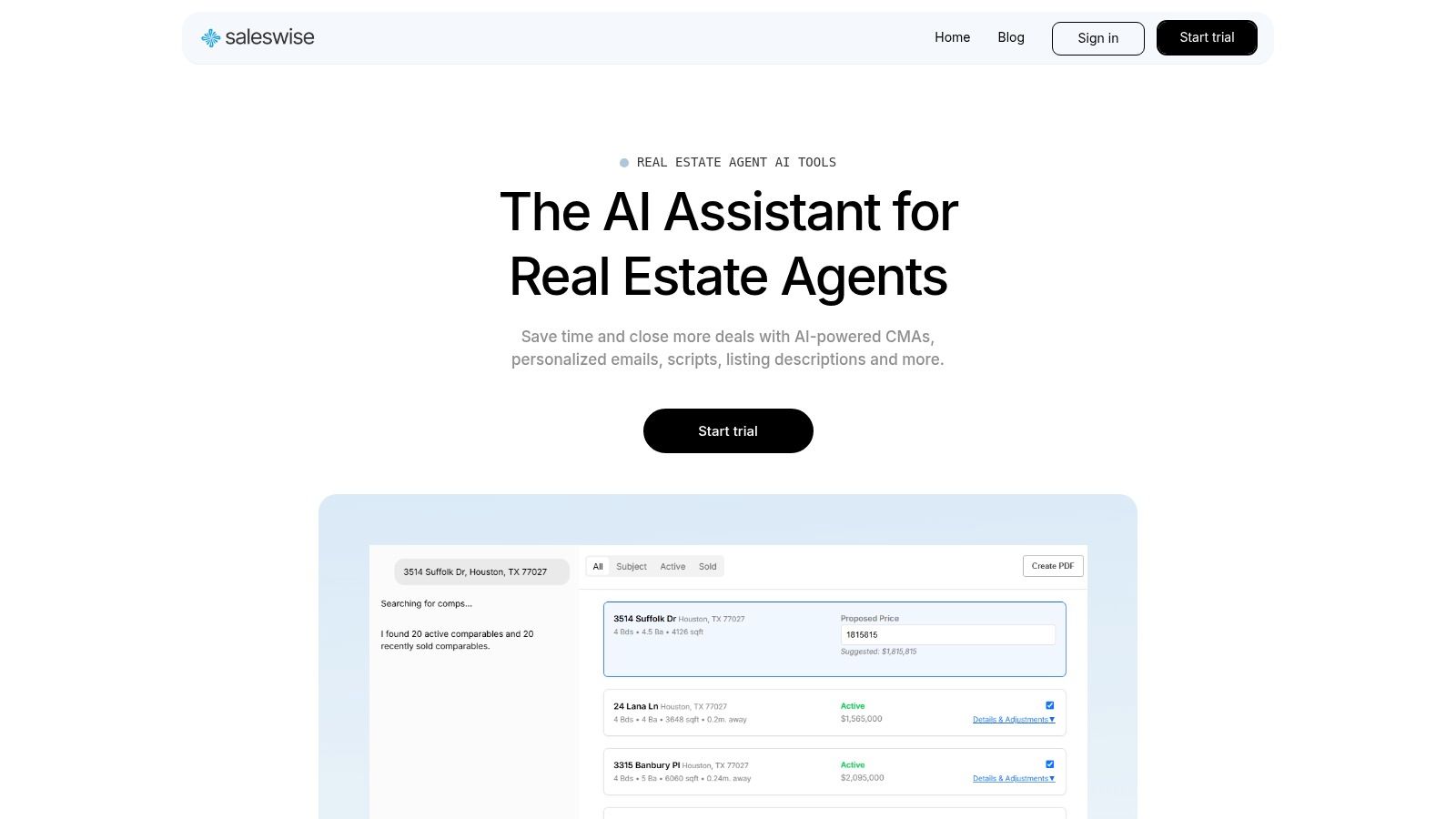
Saleswise emerges as our top choice because it redefines the creation of sample real estate flyers by integrating them into a comprehensive, AI-powered marketing and analytics suite. While other platforms offer standalone templates, Saleswise connects flyer generation directly to its core Comparative Market Analysis (CMA) engine. This unique, data-first approach ensures that every piece of marketing collateral is not just visually appealing but also strategically informed by live market data, creating a powerful tool for agents who value both speed and substance.
The platform is engineered to be an all-in-one solution, moving beyond simple design to offer a full spectrum of AI-driven tools that address the entire listing lifecycle. From instant virtual staging and room remodels to generating expert-level listing descriptions and social media posts, Saleswise positions itself as a central hub for agent productivity. This holistic integration is its key differentiator; an agent can generate a CMA, virtually stage a property, write the listing copy, and then create a matching promotional flyer all within a single, cohesive ecosystem.
Why It Stands Out: The AI-Powered Advantage
Saleswise isn't just a template library; it’s an intelligent content partner. The AI is trained on materials from top-producing agents, which allows it to generate flyer copy that is persuasive, professional, and tailored to specific use cases like open houses, new listings, and property promotions.
Strategic Insight: By grounding marketing materials in real-time property data, Saleswise helps agents craft a more compelling narrative. A flyer for a new listing can automatically pull in key value propositions derived from its CMA, turning a simple handout into a powerful sales argument backed by concrete market analysis.
Core Features & Practical Applications
- AI Flyer Generation: The platform provides a suite of ready-to-use templates that can be instantly populated with property details. The AI generates headlines, body copy, and calls to action, significantly reducing the time spent on content creation. An agent can produce a polished, on-brand flyer in minutes, not hours.
- Integrated CMA Engine: At its core, Saleswise delivers client-ready CMA reports in approximately 30 seconds. This pricing intelligence can be seamlessly woven into your flyers, adding a layer of authority and trust.
- Virtual Staging & Remodels: Visualize a property's potential directly within the platform and use these enhanced images in your flyers. This is a game-changer for marketing vacant or outdated homes, allowing you to showcase value that might otherwise be overlooked.
- Unified Content Studio: Beyond flyers, the AI generates listing descriptions, emails, scripts, and social posts. This ensures brand consistency across all marketing channels and saves valuable time.
| Feature | Primary Benefit | Best For |
|---|---|---|
| AI Flyer Generation | Produces data-informed, professional flyers in minutes. | Agents needing fast, high-quality marketing for listings. |
| 30-Second CMAs | Provides rapid, accurate property valuations. | Listing presentations and pricing strategy sessions. |
| Virtual Staging | Creates compelling visuals for vacant or dated properties. | Marketing challenging listings and showcasing potential. |
| Content Studio | Ensures consistent messaging across all platforms. | Agents scaling their marketing efforts efficiently. |
Pricing and Access
Saleswise operates on a simple and transparent subscription model, making it highly accessible.
- Trial: A $1 trial for seven days provides full access to the platform's features, allowing agents to experience its capabilities firsthand before committing.
- Subscription: The full suite is available for $39 per month, which includes unlimited use of the CMA engine, virtual staging, and the entire content studio.
Pros and Cons
Pros:
- Ultra-fast, data-driven CMAs using live market data.
- Built-in marketing toolkit with virtual staging and AI content generation.
- AI trained on top-producing agent materials for high-quality output.
- Simple, transparent pricing with a low-cost trial.
Cons:
- Geographic focus is primarily on the U.S. and Canada.
- AI-generated content benefits from a final human review for brand voice and compliance.
Visit Saleswise — AI Tools for Real Estate Agents
2. Canva
Canva is a dominant force in the online design space, and for good reason. It offers an extensive, constantly updated library of real estate flyer templates that agents can customize within minutes using a user-friendly, drag-and-drop editor. This platform is ideal for agents who need to create professional-looking marketing materials quickly, without the steep learning curve of advanced design software like Adobe Photoshop.
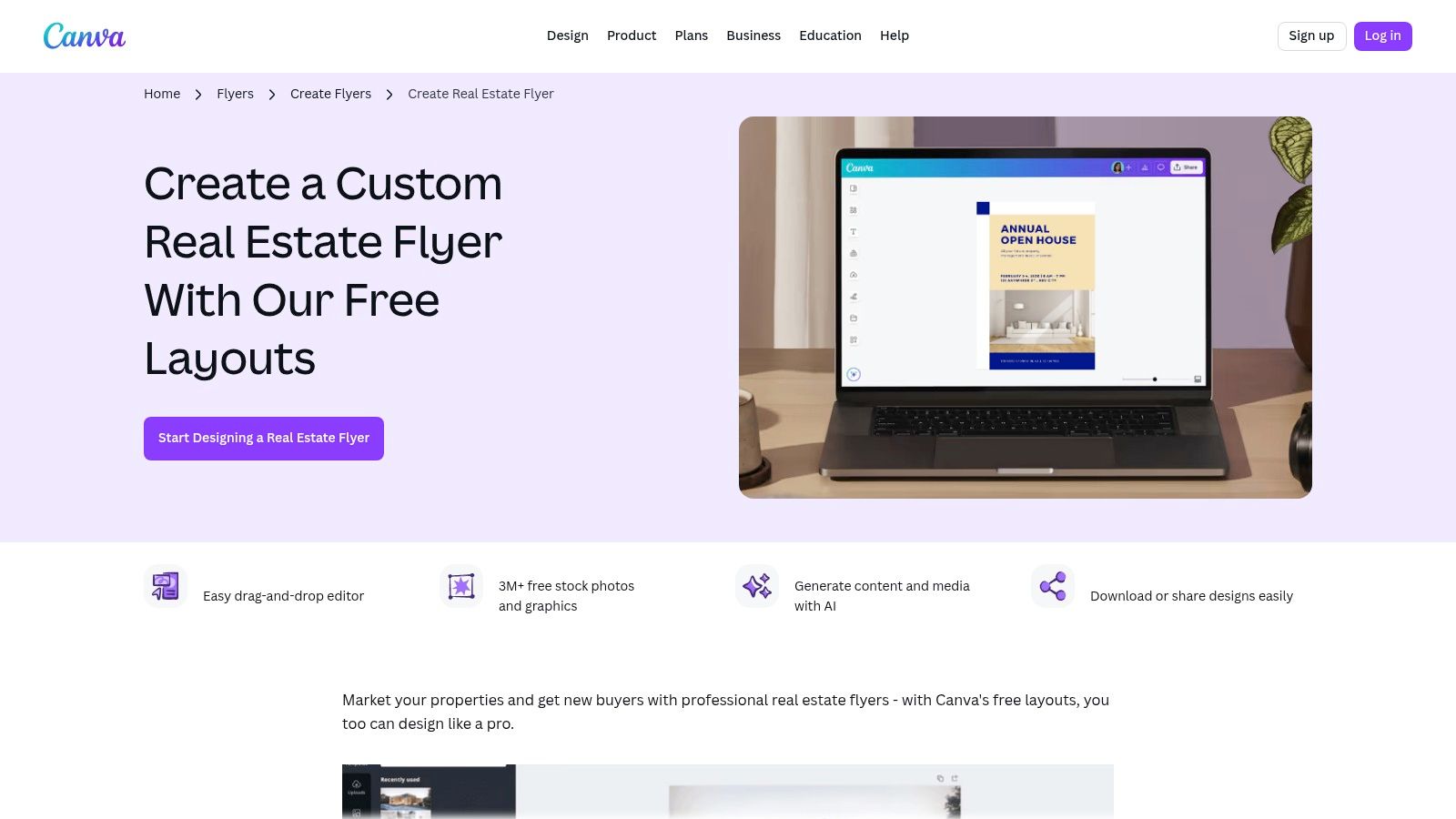
Canva's key advantage is its all-in-one ecosystem. You can design a flyer on your desktop, make quick edits on the mobile app, and then either download a print-ready PDF or order prints directly through Canva Print. This seamless workflow saves valuable time, allowing you to move from concept to physical flyer without ever leaving the platform.
Strategic Breakdown & Features
Canva’s approach democratizes design, making it accessible to everyone. Its templates for sample real estate flyers cover a wide range of needs, from "Just Listed" announcements and open house invitations to agent introductions and market updates.
- Vast Template Library: Hundreds of templates are available, searchable by style (e.g., modern, luxury, minimalist) and size (U.S. Letter, A4).
- Drag-and-Drop Editor: The interface is highly intuitive. Simply upload your property photos and drag them into place. Text, colors, and fonts can be changed with a few clicks.
- Built-in Assets: Canva includes a massive library of stock photos, icons, and graphics. While many are free, some premium elements require a Pro subscription or a small one-time payment.
- Brand Kit (Pro feature): A game-changer for consistency. You can upload your brokerage’s logos, color palette, and fonts to ensure all your marketing materials stay on-brand.
- AI-Powered Tools: Features like Magic Write can help you draft compelling property descriptions, while the Background Remover instantly creates professional headshots.
Pricing and Access
Canva operates on a freemium model. The free version is incredibly robust and sufficient for many agents' basic needs. However, the Canva Pro plan (around $119.99/year for one person) unlocks premium templates, a larger stock photo library, the Brand Kit, and powerful AI features. For agents producing a high volume of marketing content, the Pro plan is a worthwhile investment. Once you finalize your design, you can download a digital file for free or order prints, with pricing dependent on quantity, paper type, and shipping.
Actionable Takeaways
To get the most out of Canva, go beyond the basics. Don't just swap the photo and address on a popular template. Use the platform’s tools to make the design uniquely yours. Change the color scheme to match your branding, experiment with different font pairings, and add a QR code that links to the virtual tour or listing page.
Pro Tip: Create a set of "master" templates for your most common needs (new listing, open house, etc.) with your branding already in place. When you have a new property, you can simply duplicate the master template and swap in the new details, cutting your design time down to mere minutes.
Canva's templates are also easily repurposed for digital formats. A flyer design can be quickly resized into a social media post, a skill that is essential for modern real estate marketing. You can explore more about adapting print designs for online engagement by learning about creating compelling real estate social media content.
Website: https://www.canva.com/create/flyers/real-estate-flyers/
3. Adobe Express
Adobe Express is the creative software giant’s answer to the demand for fast, browser-based design tools. It leverages the power of the Adobe ecosystem, offering a polished, intuitive platform for agents who want professional-grade marketing materials without the complexity of programs like InDesign or Photoshop. It stands out by integrating Adobe's powerful creative technology, including Adobe Stock and generative AI, into an accessible, template-driven workflow.
Adobe Express is an excellent choice for agents and brokerages already familiar with the Adobe family of products or for those who prioritize high-quality assets and brand consistency. Its clean interface and guided design process make creating stunning sample real estate flyers straightforward, while the back-end technology ensures the final product looks sharp and professional, whether shared online or printed.
Strategic Breakdown & Features
Adobe Express streamlines the design process by combining high-quality templates with powerful, AI-driven creative tools. This makes it easy to produce unique flyers for open houses, new listings, and agent branding that align with a premium aesthetic.
- Professional Template Library: Offers thousands of templates that can be easily searched and filtered. The designs often have a clean, modern feel, reflecting Adobe's design-forward reputation.
- Adobe Stock Integration: This is a major differentiator. Premium users gain access to the vast Adobe Stock library of royalty-free photos, videos, and design assets, allowing for more unique and high-end visuals.
- Generative AI: Features like "Text to Template" and "Text to Image" allow you to generate custom templates and imagery from a simple text prompt, offering limitless creative possibilities.
- Brand Kits (Premium): Similar to Canva, you can upload logos, fonts, and brand colors to maintain brand consistency across all your marketing materials. This is crucial for brokerages and teams.
- Cross-Device Syncing: Start a design on your desktop and finish it on your phone or tablet. All your projects and assets are synced to the Adobe Creative Cloud.
Pricing and Access
Adobe Express operates on a freemium model. The free plan is quite capable, offering thousands of templates, basic editing tools, and a limited collection of Adobe Stock photos. The Premium plan (around $9.99/month) is where the platform truly shines, unlocking all premium templates and design assets, over 160 million Adobe Stock photos, Brand Kits, and advanced AI features. For U.S. and UK users, designs can be printed and shipped directly from the desktop application, simplifying the path from digital design to physical flyer.
Actionable Takeaways
Leverage the power of Adobe Stock to find unique lifestyle or architectural detail shots that complement your property photos. Instead of using a generic "family in a kitchen" photo, search for more specific, high-quality images that evoke the right feeling for the property’s target demographic. This can elevate your flyer above the competition.
Pro Tip: Use the "Generative Fill" AI feature to make quick edits to your property photos directly within your flyer design. You can remove unwanted objects like a car in the driveway or add small elements like flowers to a garden bed without ever leaving Adobe Express.
Remember that Adobe Express is part of a larger ecosystem. You can easily bring in assets created in other Adobe apps, like a logo designed in Illustrator or a photo edited in Lightroom, ensuring a seamless and high-quality branding workflow.
Website: https://www.adobe.com/express/create/flyer/business/
4. Etsy (Marketplace for Instant-Download Templates)
Etsy is a global marketplace known for handmade goods, but it's also a treasure trove of digital design assets, including thousands of real estate flyer templates. Instead of a single platform with an in-house design team, Etsy connects agents with independent creators who offer unique, niche-specific templates. This approach provides an incredible variety of styles, from minimalist and modern to rustic and ultra-luxury, often at a very low price point.
The primary advantage of Etsy is its sheer diversity and affordability. You can find highly specialized sample real estate flyers that might not be available on larger, more mainstream platforms. Sellers often create bundles that include matching social media posts, business cards, and presentation slides, offering a cohesive branding package for a one-time purchase.
Strategic Breakdown & Features
Etsy operates as a decentralized marketplace, where the value comes from the collective creativity of its sellers. This means you are purchasing a digital file-often a link to an editable template in Canva or a downloadable file for Microsoft PowerPoint-rather than using a built-in editor on Etsy itself.
- Vast and Niche Selection: Discover templates for every conceivable need: luxury penthouses, suburban open houses, new agent introductions, and even commercial properties. The stylistic range is far broader than most single-brand libraries.
- Instant Digital Downloads: After purchase, you typically receive an immediate link to access your template. There's no waiting period, allowing you to start customizing right away.
- Affordable One-Time Purchases: Most templates are priced very competitively, often under $10. This is ideal for agents who need a professional design without committing to a monthly subscription.
- Seller Ratings and Reviews: Before buying, you can check reviews from other agents to gauge the quality of the design, the ease of editing, and the responsiveness of the seller. This helps mitigate the risk of a poor-quality purchase.
- Software Compatibility: Templates are commonly designed for popular, accessible programs. The vast majority are editable in Canva (free or Pro account), with others available for PowerPoint, Word, or Adobe products.
Pricing and Access
Pricing on Etsy is set by individual sellers, but it is one of the most budget-friendly options available. A high-quality, professionally designed flyer template can often be purchased for a one-time fee of $3 to $15. Be sure to read the item description carefully, as some templates are designed using Canva Pro elements, which would require you to have a Pro subscription to use them without watermarks. Access is instant upon purchase via a downloadable PDF that contains the link to your editable template.
Actionable Takeaways
Success on Etsy requires a bit of due diligence. Always read the full item description to understand what software is required for editing and whether premium elements are used. Check the seller’s reviews and look at all the listing images to ensure the template fits your brand aesthetic before purchasing.
Pro Tip: Many Etsy sellers offer bundles that include a flyer, social media posts, and a postcard design in a matching style. Purchasing a bundle is a cost-effective way to create a consistent, multi-channel marketing campaign for a new listing.
Once you purchase a template, save a "master copy" before you start editing. This way, you can always revert to the original design or reuse it for future listings without having to repurchase it.
Website: https://www.etsy.com/market/real_estate_flyer_template
5. Creative Market
Creative Market is a curated online marketplace where independent creators sell high-quality, professional design assets. For real estate agents or marketing teams with access to design software, it's a treasure trove of sophisticated templates that offer greater creative control and print-readiness than many simpler platforms. This platform is ideal for those who prefer to work within Adobe programs like Photoshop or Illustrator and demand pixel-perfect, layered files for maximum customization.
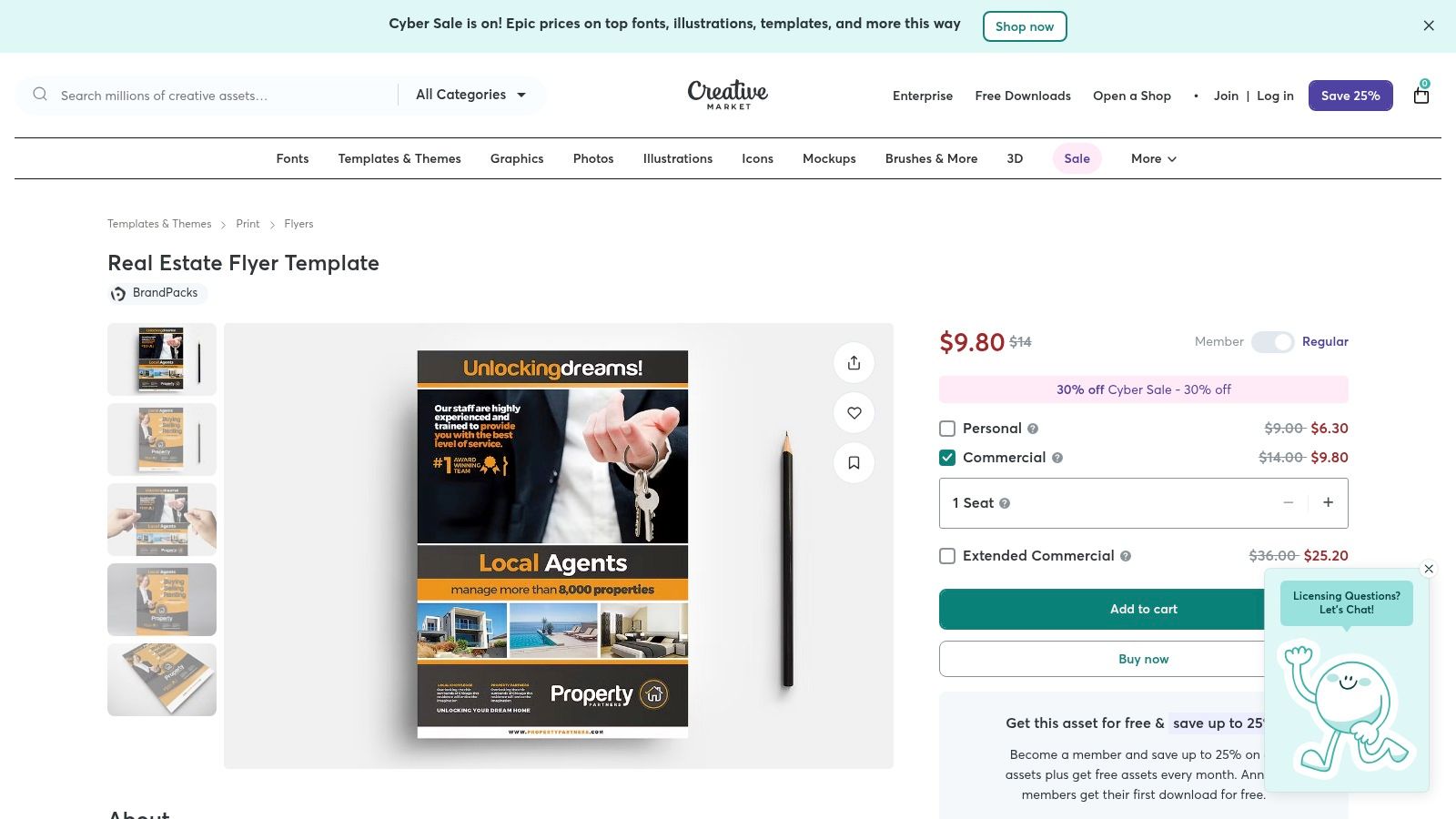
Unlike all-in-one editors, Creative Market's value lies in the quality and specificity of its assets. You purchase a template and receive the source files, giving you or your designer complete authority over every element. The products are often designed by professional graphic designers, resulting in a higher production value and more unique layouts than what you might find on free template sites.
Strategic Breakdown & Features
Creative Market’s niche is providing professional-grade assets for designers and savvy marketers. The sample real estate flyers found here are built for high-quality print production, ensuring your marketing materials look crisp and polished when handed to potential clients.
- Professional-Grade Files: Templates typically come as layered Adobe Photoshop (PSD), Illustrator (AI), or InDesign (INDD) files. This allows for granular control over every text box, image, and graphic element.
- Print-Ready Specs: Most files are pre-configured with print industry standards, including CMYK color mode, 300 DPI resolution, and built-in bleed lines, which simplifies the hand-off to a professional print shop.
- Growing Canva Compatibility: Recognizing the demand for easier editing, many creators now offer their templates as Canva links alongside the traditional Adobe files.
- One-Time Purchases: You buy a template once and receive a standard commercial license to use it for your projects. There are no recurring subscription fees to access the files you've purchased.
- Detailed Documentation: Sellers often include help files and lists of the fonts used (with download links), which is critical for maintaining design integrity.
Pricing and Access
Creative Market operates on a per-product pricing model. The cost of a real estate flyer template can range from around $10 to $40 or more, depending on its complexity and the creator. This is a one-time fee for the license to use the template. Be aware that you will need the appropriate software (like Adobe Photoshop) to edit most files. Additionally, the stock photos shown in the template previews are often for demonstration purposes only and are not included in the final download.
Actionable Takeaways
When using Creative Market, always read the product description carefully. Check the file types included to ensure you have the necessary software to edit them. Also, verify whether the stock photos are included or if you'll need to supply your own property images and headshots.
Pro Tip: Look for "template bundles" or "packs" from a single creator. You can often purchase a matching set of marketing materials (flyers, brochures, business cards, social media posts) for a discounted price, ensuring perfect brand consistency across all your channels.
The layered files from Creative Market give you a fantastic base to perfect your property's story. You can easily adjust layouts to better fit your photos and craft compelling narratives. To elevate your listings, learn more about writing a powerful property description that will make your flyer even more effective.
Website: https://creativemarket.com/BrandPacks/945017-Real-Estate-Flyer-Template
6. Vistaprint
Vistaprint is a household name in the online printing world, serving as a reliable one-stop shop for agents who need to both design and print their flyers at scale. While it may not have the vast, design-centric ecosystem of Canva, its strength lies in seamlessly bridging the gap between digital design and physical distribution. It's an ideal choice for agents who have a design ready or need a simple, effective template to quickly get professionally printed flyers into their hands.
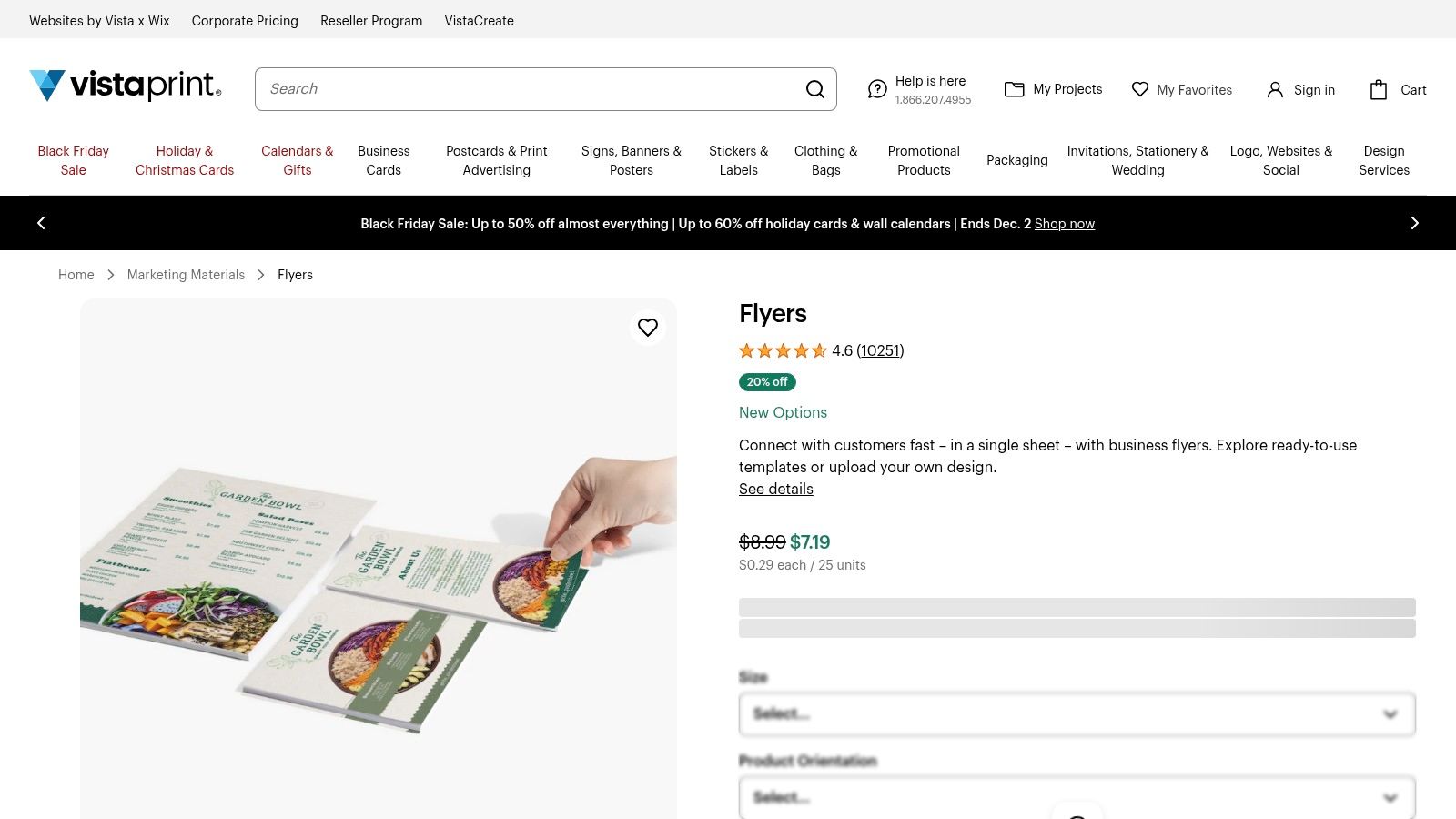
The platform's key advantage is its focus on the final printed product. Agents can choose from an extensive range of paper stocks, finishes, and sizes, ensuring the final flyer has the right look and feel for a specific property, whether it's a standard listing or a luxury estate. This granular control over the physical medium is something pure design platforms often lack.
Strategic Breakdown & Features
Vistaprint’s approach centers on print production efficiency. It offers a gallery of real estate-specific templates that are simple to edit, but its true power is unlocked when you upload your own custom-designed sample real estate flyers. This flexibility allows agents to use more advanced design tools and then rely on Vistaprint for high-quality, large-volume printing and fulfillment.
- Template Gallery and Design Upload: Users can either browse and customize existing templates or upload their own print-ready PDF, JPG, or PNG files.
- Extensive Customization Options: Vistaprint offers 11 different flyer sizes, multiple paper stocks (glossy, matte, recycled), and various thicknesses to match your brand and budget.
- Scalable Order Quantities: You can order small batches of 25 flyers for a niche open house or scale up to 20,000 for a large-scale mail campaign.
- Two-Sided Printing: Easily create more comprehensive flyers by utilizing both the front and back for property details, agent bios, and testimonials.
- U.S. Fulfillment: With U.S.-based production, Vistaprint provides reliable and relatively fast shipping options across the country.
Pricing and Access
Vistaprint’s pricing is dynamic and depends entirely on your chosen specifications: quantity, paper size, stock, and finish. For example, 100 standard 8.5" x 11" flyers on glossy stock might cost around $50-$60, but prices decrease per unit on larger orders. The platform is free to use for designing or uploading, with costs incurred only at the point of ordering prints. While it may not be the cheapest option for very small runs, its value becomes apparent when ordering in bulk.
Actionable Takeaways
To maximize Vistaprint's utility, it’s crucial to order a free sample kit before placing a large order. This allows you to physically feel the different paper stocks and see the print quality, ensuring your luxury listing flyer doesn't end up on paper that feels thin or cheap. This hands-on approach prevents costly mistakes and ensures the final product aligns with your brand's standards.
Pro Tip: When uploading your own design, double-check Vistaprint’s bleed and margin requirements. Download their design templates for Adobe Photoshop or Illustrator to ensure your file is set up correctly, preventing white edges or cut-off text on the final printed flyer.
Vistaprint is an essential component of a broader marketing strategy. While you design flyers here, remember that these physical assets are part of a larger toolkit. To learn more about how flyers fit into your overall promotional efforts, explore these other effective real estate agent marketing materials. As you explore printing options beyond popular platforms, consider other providers like The Print Warehouse's flyer printing services for your finished designs.
Website: https://www.vistaprint.com/marketing-materials/flyers/
7. ProspectsPLUS!
ProspectsPLUS! is a marketing powerhouse built specifically for the real estate industry. It moves beyond simple design templates and functions as an end-to-end marketing service, combining professional flyer designs with sophisticated printing and direct mailing capabilities. This platform is tailor-made for agents who want to execute targeted farming campaigns and neighborhood outreach without juggling multiple vendors.
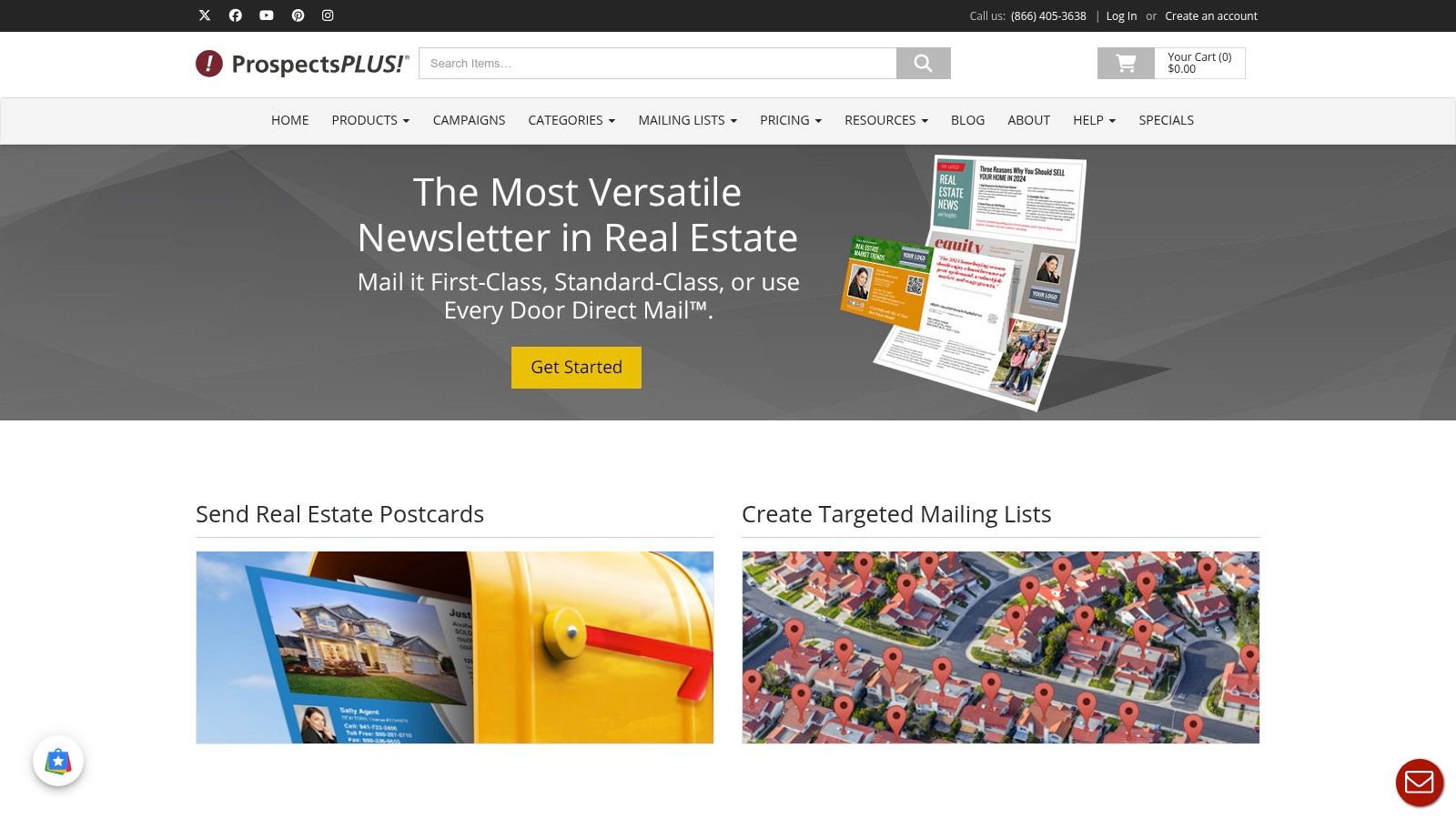
The key differentiator for ProspectsPLUS! is its integration of design, print, and logistics. An agent can choose a "Just Listed" flyer, customize it with property details, upload a mailing list or define a delivery area, and have the entire campaign printed and mailed directly from the platform. This streamlined process is invaluable for agents focused on geographic farming and consistent outreach.
Strategic Breakdown & Features
ProspectsPLUS! positions itself as a strategic partner rather than just a design tool. Its offerings are built around proven real estate marketing tactics, providing agents with campaign-ready solutions. The sample real estate flyers available are part of larger, coordinated marketing efforts.
- Industry-Specific Templates: The catalog is exclusively focused on real estate needs, including flyers for new listings, open houses, agent introductions, and market reports.
- Integrated Mailing Services: The platform’s standout feature is its direct mail integration. Agents can choose between First-Class Mail for specific addresses or Every Door Direct Mail (EDDM) to target entire carrier routes.
- List Building Tools: You can upload your own contact list or use their tools to purchase a targeted mailing list based on specific demographics or geographic boundaries.
- Campaign Automation: For long-term farming, you can schedule a series of mailings over several months, ensuring consistent brand presence in your target neighborhoods.
Pricing and Access
ProspectsPLUS! operates on a pay-per-campaign basis. There is no subscription fee to access the platform or design templates. Costs are determined by the product, quantity, paper quality, and mailing services selected. For example, printing and mailing 100 feature property flyers might cost around $1.15 per piece, with pricing becoming more competitive at higher volumes. This model is ideal for agents who prefer to pay for marketing as they need it, rather than committing to a monthly software subscription.
Actionable Takeaways
To maximize the value of ProspectsPLUS!, think in terms of campaigns, not single flyers. Use the platform to build a comprehensive farming strategy. For a new listing, don't just send one "Just Listed" flyer. Plan a sequence: a "Coming Soon" postcard, the "Just Listed" flyer, an "Open House" invitation, and finally a "Just Sold" announcement.
Pro Tip: Leverage the EDDM tool to blanket the neighborhood around your new listing. This not only promotes the property but also positions you as the local market expert, generating potential seller leads who see your consistent activity in their area.
While the platform handles the logistics, your messaging is still key. Customize the template copy to highlight unique selling points of the property and always include a strong, clear call to action. Add a QR code linking to the online listing to bridge the gap between your physical and digital marketing efforts.
Website: https://www.prospectsplus.com/
Real Estate Flyer Tools: 7-Platform Comparison
| Product | Implementation Complexity 🔄 | Resource Requirements ⚡ | Expected Outcomes 📊 | Ideal Use Cases 💡 | Key Advantages ⭐ |
|---|---|---|---|---|---|
| Saleswise — AI Tools for Real Estate Agents | Low 🔄 — turnkey AI workflows, minimal setup | Subscription (~$39/mo, $1 trial), internet, account | High 📊 — rapid data-driven CMAs (~30s) + polished flyers | Agents needing fast pricing intelligence plus marketing assets | ⭐ Data-backed CMAs, integrated staging & flyer generation |
| Canva | Low 🔄 — drag-and-drop editor, fast onboarding | Free/Pro tiers, browser/mobile, optional print fees | Good 📊 — quick, brandable flyers ready for print | DIY agents who want editable templates and prints | ⭐ Ease of use, large template library, built-in print option |
| Adobe Express | Low–Medium 🔄 — guided Adobe ecosystem tools | Free/paid plans, Adobe account, some premium assets | Very good 📊 — Adobe-quality output with brand controls | Users needing consistent brand kits and stock imagery | ⭐ Brand kits, Adobe Stock integration, clean workflows |
| Etsy (Instant-Download Templates) | Medium 🔄 — download then edit in third-party apps | One-time low cost (often <$10), requires Canva/PowerPoint | Variable 📊 — wide stylistic variety; quality varies by seller | Budget agents seeking niche or unique flyer styles | ⭐ Very affordable, broad stylistic selection |
| Creative Market | Medium–High 🔄 — often requires Adobe skills for source files | One-time purchase, may require Photoshop/Illustrator, higher cost | High 📊 — print-ready, layered files with production specs | Designers/teams needing high-production, print-ready assets | ⭐ Professional files, clear print specs, better documentation |
| Vistaprint | Low 🔄 — template builder or upload workflow | Pay-per-order printing, multiple sizes/papers, fulfillment fees | Good 📊 — consistent printed flyers at scale | Agents needing volume printing and fulfillment | ⭐ End-to-end print & ship, many material and size options |
| ProspectsPLUS! | Low–Medium 🔄 — template-driven plus campaign setup | Pay for print + mail, list-building tools, campaign budget | High 📊 — printed + mailed campaigns with tracking | Farming and open-house campaigns requiring direct mail | ⭐ Industry-focused print + mailing automation and tracking |
Final Thoughts
We've explored a diverse collection of sample real estate flyers, moving beyond mere templates to dissect the strategic thinking that transforms a simple piece of paper into a powerful marketing asset. From the urgent call of a "Just Listed" flyer to the sophisticated allure of a luxury property brochure, the core lesson is clear: effective design is not just about aesthetics, it's about communication, strategy, and driving action.
The examples showcased throughout this guide demonstrate that a successful flyer is a masterclass in efficiency. It must capture attention instantly, convey a compelling value proposition within seconds, and provide a frictionless path for a potential client to take the next step. Whether it’s a QR code leading to a virtual tour, a bold headline that speaks directly to a buyer’s dream, or a clean layout that makes information easy to digest, every element must serve a distinct purpose.
Key Takeaways: From Inspiration to Implementation
As you move forward, keep these central principles in mind. They are the common threads that connect all the most effective sample real estate flyers we analyzed.
- Clarity Over Clutter: The most common mistake is information overload. Prioritize a single, clear message for each flyer. Is it about an open house? Then the date, time, and a stunning hero image are your primary tools. Is it a branding flyer? Your photo, value proposition, and contact information take center stage.
- High-Quality Visuals Are Non-Negotiable: Grainy, poorly lit, or uninspired photos will immediately devalue a property in a potential buyer's mind. Professional photography is an investment that pays for itself by making your listings look more appealing and, by extension, making you look more professional.
- The CTA is Your Conversion Point: A flyer without a clear Call to Action is just a pretty picture. Your CTA must be specific, visible, and easy to act upon. Use action-oriented language like "Scan for a Virtual Tour," "Text for a Private Showing," or "Visit Our Website for More Photos."
- Brand Consistency Builds Trust: Every flyer you create is a representation of your professional brand. Ensure your logo, color palette, and fonts are used consistently across all your marketing materials. This repetition builds brand recognition and establishes a sense of reliability and professionalism in your local market.
Choosing the Right Tool for Your Flyer Strategy
The tools we covered, from the design-centric platforms like Canva and Adobe Express to specialized real estate services like ProspectsPLUS! and marketplaces like Etsy, each offer a unique pathway to creating compelling flyers. Your choice depends on your specific needs, budget, and technical comfort level.
Consider these factors when selecting your go-to resource:
- For Total Beginners: Canva and Adobe Express offer the most user-friendly, drag-and-drop interfaces with vast template libraries. They are perfect for agents who want to create professional-looking materials quickly without a steep learning curve.
- For Print-Focused Campaigns: Services like Vistaprint and ProspectsPLUS! integrate design with professional printing and even mailing services. This is ideal for agents planning large-scale direct mail campaigns who need a streamlined, all-in-one solution.
- For Unique, Custom Designs: If you want a flyer that stands out from the standard templates, browsing marketplaces like Etsy or Creative Market can uncover unique designs created by independent graphic designers that you can then customize.
- For AI-Powered Efficiency: For agents who need to create compelling marketing copy, property descriptions, and follow-up emails at scale, a tool like Saleswise becomes indispensable. It handles the difficult writing process, allowing you to focus on the visual and strategic elements of your flyer.
Ultimately, the best sample real estate flyers serve as a blueprint. They provide a proven structure and strategic inspiration. Your task is to take these lessons, infuse them with your unique brand identity and in-depth knowledge of your local market, and create materials that don't just inform, but also persuade and convert. Start with a clear goal, choose the right tool for the job, and execute with confidence.
Ready to supercharge the text on your real estate flyers and all your other marketing materials? Saleswise uses AI to instantly generate compelling property descriptions, ad copy, and client emails, saving you hours of work. Elevate your message and turn your marketing efforts into measurable results by visiting Saleswise today.