Virtual Staging for Real Estate: A Real Estate Agent's Guide

Imagine having an interior designer who can perfectly furnish an empty home in minutes instead of weeks. That's essentially what virtual staging is for real estate agents. It’s a marketing tool that uses software to digitally add stylish furniture, decor, and accessories into photos of vacant properties.
This simple process can completely transform a cold, empty listing photo into a warm, inviting scene that helps buyers see themselves living there.
What Is Virtual Staging and Why It Matters Now
An empty room in a listing photo is a missed opportunity. While some buyers can see the potential, many just see four walls and a floor. They struggle to imagine where their couch would go or how big a dining table would fit. This is the "imagination gap" that causes buyers to scroll right past a property that could have been their perfect home.
Virtual staging closes that gap. It's the art of filling that blank canvas to show off a home's true promise, making a killer first impression online.
Instead of hauling in physical furniture, you use specialized software to digitally place everything from sofas and rugs to artwork and lighting right into your photos. The goal is simple: showcase a room's scale, function, and potential lifestyle without the cost and logistical nightmare of traditional home staging.
The Modern Shift in Real Estate Marketing
Virtual staging isn't a novelty anymore—it’s a core part of a modern real estate marketing plan. The results speak for themselves. Industry data shows that virtually staged homes can sell up to 75% faster than homes that aren't staged at all.
What's more, a whopping 83% of properties marketed this way sell for their asking price or higher. When you compare the average traditional staging cost of $1,849 to virtual staging, the savings are incredible—it's often about 97% cheaper. You're ditching the furniture rentals, moving crews, and redesign fees.
Virtual staging has moved from a "nice-to-have" gimmick to a strategic must-have. It's about getting higher-quality leads and closing deals faster by showing, not just telling, buyers what's possible.
Key Advantages in Today's Market
The rise of AI-powered tools has made virtual staging more accessible and powerful than ever, giving agents a serious competitive edge. Here are the main benefits you'll see:
- Speed and Efficiency: A process that used to take days with designers can now be done in minutes with AI. That means you can get your listings live almost instantly.
- Cost-Effectiveness: Because it’s so affordable, you can professionally stage every listing, not just your luxury properties.
- Creative Flexibility: Want to appeal to different buyers? You can create multiple design styles for the same room—modern, traditional, or bohemian—with just a few clicks.
- Enhanced Buyer Connection: Furnished photos help buyers visualize their own life in the space, creating the emotional connection that drives offers.
By simply transforming a photo, you're actually transforming your entire marketing strategy. You can see some incredible virtual staging before-and-after examples to get a feel for the visual impact. The technology that makes all this possible is rooted in professional 3D architectural rendering services, which have become increasingly sophisticated over the years.
The Financial Impact of Staging on Your Listings
It’s easy to dismiss home staging as just a bit of interior decorating, but that’s a huge mistake. Think of it less as a cosmetic touch-up and more as a strategic investment—one that turns a property from a static listing into a powerful marketing tool. The data is clear: staging taps into buyer psychology, creating an emotional connection that almost always results in faster sales and better offers.
At the end of the day, it's not just about making a place look pretty; it's about making the numbers work for your seller. A relatively small upfront cost for staging can directly lead to a much bigger number on that final closing statement.
This infographic really drives home the key benefits with some hard-hitting stats.
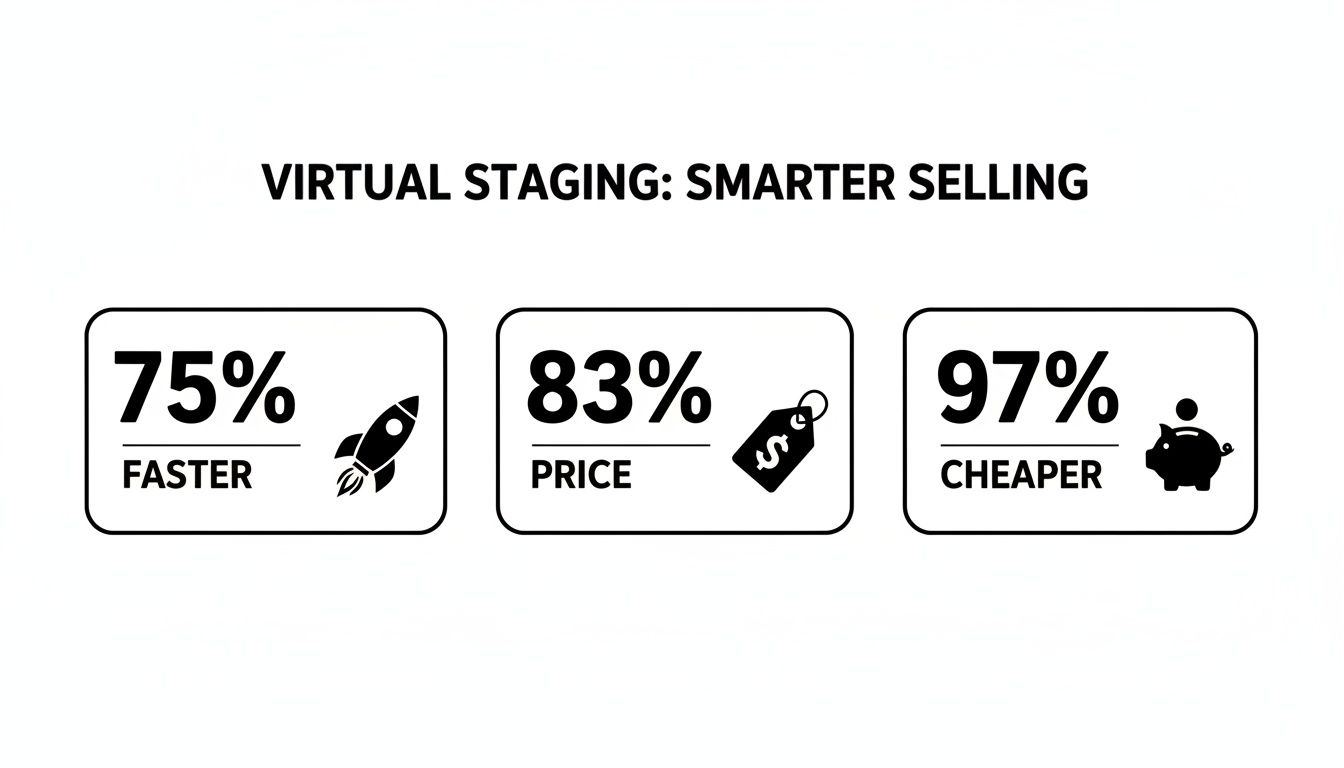
These numbers show just how much virtual staging can speed up a sale, bump up the price, and do it all for pennies on the dollar compared to bringing in actual furniture.
Quantifying the Return on Investment
So, what does this look like in the real world? Let’s take a home listed for $500,000. If staging boosts the final offer by just 5% (which is a pretty conservative estimate), that's an extra $25,000 for your seller.
When you weigh that gain against the tiny cost of virtually staging a few key photos, the ROI is a no-brainer. This simple calculation is an incredibly powerful point to make during a listing presentation or when walking through a CMA. It completely reframes the conversation from an "expense" to a clear "profit opportunity."
Staging—both virtual and physical—isn't a 'nice-to-have' anymore. It's a proven revenue lever, and the data from major industry associations confirms its financial punch.
Data-Backed Results You Can Share with Sellers
You don’t have to take my word for it; the big real estate organizations have done the research. The National Association of REALTORS® found that 81% of buyers said staging made it easier for them to picture themselves living in the home. That emotional hook is exactly what gets them to open their wallets.
Agents on the ground agree. 29% reported that staging resulted in offers 1%–10% higher than unstaged comps. Even more telling, the Real Estate Staging Association (RESA) discovered that staged homes sold for an average of 9% over the asking price and went under contract in a mere 19 days. If you want to dive deeper, there's a great analysis on how staging acts as a smart investment for sellers.
These aren’t just abstract percentages; they represent real cash and faster closings for your clients.
- A 9% lift on an $800,000 listing means an extra $72,000.
- On a $1,000,000 property, you're talking about a $90,000 gain.
And the ROI becomes even more impressive with virtual staging, where your initial investment is a tiny fraction of traditional costs.
Integrating Staging Impact into Your CMA
When you present a Comparative Market Analysis, you're doing more than just recommending a price. You're laying out a complete strategy for getting the best possible outcome. Weaving virtual staging data into that strategy makes it far more compelling. You can actually show sellers two paths: one without staging, and one with, clearly illustrating how a small investment can boost their net profit.
Tools like Saleswise are built for this. They let you generate a CMA and instantly apply AI-powered virtual staging to the property photos. This means you can quantify how a 1%–10% offer lift impacts the seller's bottom line while showing them exactly how a few design changes can justify that stronger price. With visual proof backed by solid data, it’s easy to prove that virtual staging for real estate isn't an expense—it’s one of the highest-return marketing plays you can make.
Virtual Staging vs. Physical Staging: Which Is Right for Your Listing?
When it comes to prepping a home for the market, one of the biggest questions is how to stage it. Do you go the traditional route with physical staging, or do you embrace the digital alternative? Both aim for the same goal—helping buyers fall in love with a property—but they get there in very different ways. This isn't just about picking one over the other; it's about understanding which tool fits the specific home, the seller's budget, and your marketing strategy.
Physical staging is the classic approach: you bring in real furniture, art, and decor to dress up a home. It's incredibly powerful for in-person tours, but it's also a major undertaking. On the flip side, virtual staging creates that same polished look entirely on a computer, offering a level of speed and agility that traditional methods just can't match.
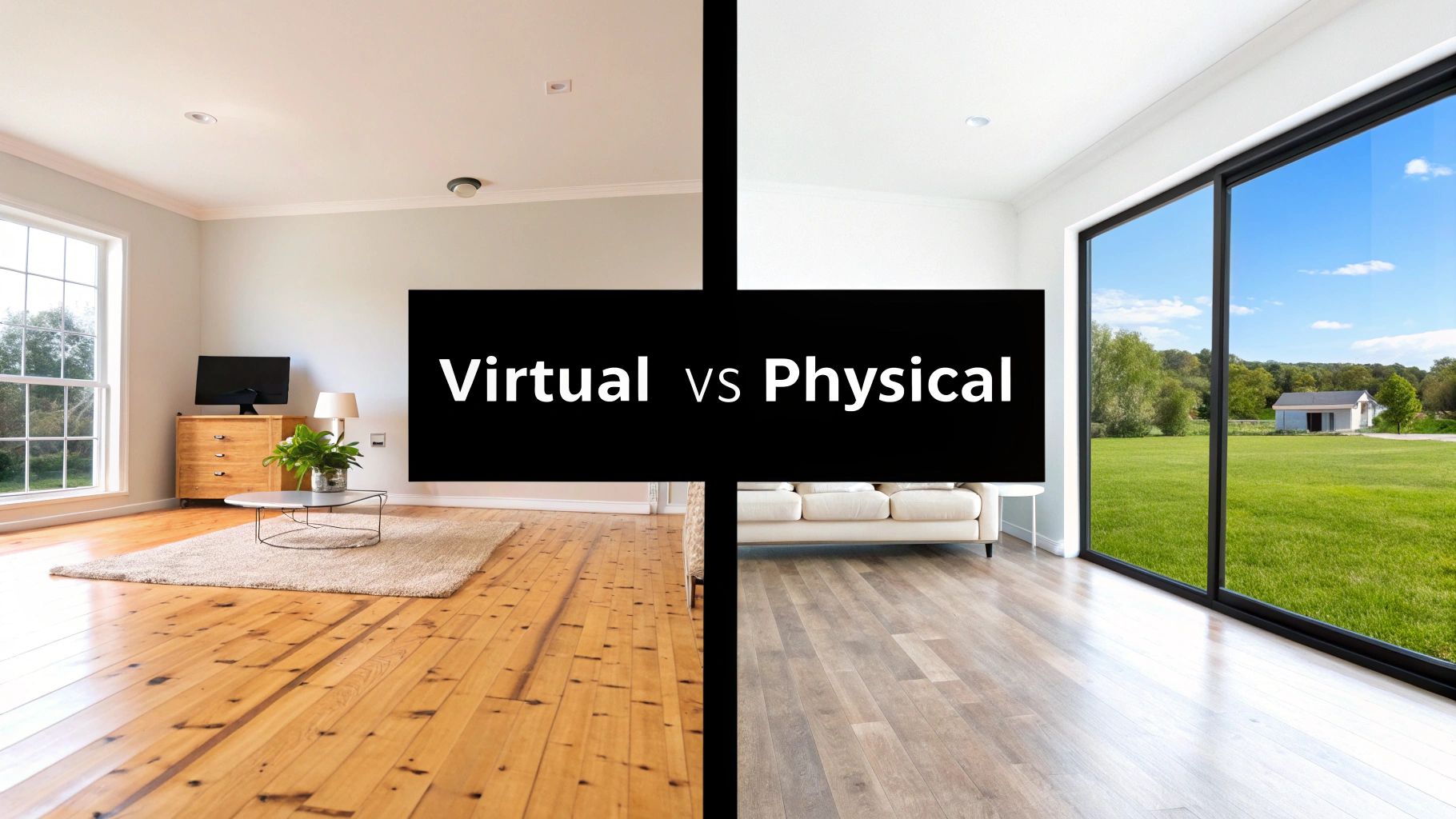
Virtual Staging vs. Physical Staging At A Glance
To really see the differences, it helps to put them side-by-side. This table breaks down the key factors you'll need to consider when making a decision.
| Factor | Virtual Staging | Physical Staging |
|---|---|---|
| Cost | $30 - $100 per photo | $1,500 - $7,200+ for a project |
| Turnaround Time | 24-48 hours | 1-3 weeks (or more) |
| Logistics | Simple photo upload | Complex coordination of movers, rentals, designers |
| Flexibility | Extremely high; create multiple styles for one room | Low; one style per room, requires re-staging to change |
| In-Person Impact | None; the home is empty during showings | High; buyers see the staged home in person |
| Best For | Vacant homes, occupied properties, online marketing | High-end luxury properties, open houses |
As you can see, the choice often comes down to balancing the online first impression with the in-person experience, all while keeping an eye on the budget and timeline.
The Trade-Off: Speed and Cost vs. In-Person Feel
Let's be blunt: the biggest hurdles with physical staging are always time and money. It’s a full-blown production. You have consultations, furniture rental agreements, movers hauling things in and out, and a design team spending days setting everything up. The whole process can easily take a few weeks and cost a small fortune—think $1,500 to $7,200 on average before you've even shot the photos.
Virtual staging completely flips the script. The entire process is digital. You send over high-quality photos of the empty rooms and get back beautifully furnished images, often in less than 48 hours. The cost is a tiny fraction of the alternative, usually just a flat fee per photo. This means you can stage an entire house online for just a few hundred dollars, making it a no-brainer for almost any listing, not just the luxury ones.
The core trade-off is simple: physical staging delivers an in-person "wow" factor at a high cost, while virtual staging creates an online "wow" factor for a fraction of the price and time. This makes virtual staging an exceptionally high-ROI marketing activity.
Unlocking Creative Freedom
Imagine trying to show buyers that a spare bedroom could work as a home office or a nursery. With physical staging, that’s just not practical. You’d have to pay to stage it twice.
This is where virtual staging really shines. It gives you incredible creative freedom. You can produce multiple versions of the same room to appeal to different types of buyers. Want to show a living room with a sleek, modern vibe and another with a cozy, farmhouse feel? No problem. It's a powerful way to tailor your online marketing without spending another dime.
Knowing When to Use Each Approach
While virtual staging is a fantastic tool for most situations, an experienced agent knows how to pick the right strategy for the job. Sometimes, physical staging is still the best call.
- Vacant Homes: Virtual staging is the clear winner here. It’s fast, affordable, and brilliantly shows the potential of an empty house where buyers shop first: online.
- Tenant-Occupied Properties: It can be a nightmare to stage a home while people are still living in it. Virtual staging lets you digitally clear the clutter and add perfect furniture for the photos, all without disturbing the tenants.
- High-End Luxury Listings: For multi-million dollar properties, buyers often expect a tangible, high-touch experience. In these cases, the investment in physical staging can pay off, though virtual staging is still great for showing alternative uses for bonus rooms online.
- Homes That Need a Little TLC: Virtual staging can work wonders here. You can digitally "paint" walls, change out dated flooring, or even add new light fixtures to show buyers the home's potential after a few small updates.
In the end, both methods have a role to play. But for the vast majority of listings, the speed, cost-effectiveness, and marketing flexibility of virtual staging for real estate make it the smarter choice for today's agent. If you want to build a solid listing strategy from the ground up, our guide on how to stage a home for selling is a great place to start.
How to Create a Virtual Staging Workflow
To get the most out of virtual staging, you can't just treat it as a one-off task. The real magic happens when you build it into a repeatable workflow, a system you can rely on for every single listing. A solid process saves you time, guarantees you get great results, and makes sure every property looks its absolute best online.
And it all starts long before you even think about uploading a photo.
Think of your empty room photos as a blank canvas for an artist. If the canvas is dirty or wrinkled, the painting on top will never look right. Virtual staging is the same—it needs a clean, high-quality image to work its magic.
Step 1: Prepare and Photograph the Property
First things first: get the property ready for its close-up. The room needs to be completely empty, sparkling clean, and filled with as much light as possible. Any lingering furniture, dust bunnies, or dark corners will only compromise the final image, no matter how sophisticated the staging software is.
Hiring a professional photographer is almost always worth the investment. They have a trained eye for the right angles and lighting to make a room feel expansive and welcoming. If you’re taking the photos yourself, though, just stick to these simple rules:
- Shoot from a corner: This is the classic pro trick. It captures the most space and gives a clear sense of the room's layout.
- Use a wide-angle lens: It can make smaller rooms feel bigger, but don't go overboard with a "fisheye" lens that makes everything look warped.
- Keep your camera level: Always shoot from about chest height. Tilted angles can make digitally added furniture look distorted and unnatural.
- Let there be light: Open every blind and curtain. Turn on every single light. You want the space to look as bright and airy as you can get it.
Step 2: Select the Right Staging Style
With great photos in hand, your next move is to choose a design style that will connect with your target buyer. This isn’t about your personal taste; it's a strategic marketing decision. The goal is to paint a picture that helps the most likely buyer for that home, in that neighborhood, see themselves living there.
Think about the home's architecture and price point. A sleek downtown condo needs a very different look than a traditional family home in the suburbs. Most staging platforms, especially the AI-powered ones, give you a menu of go-to styles to choose from.
The most effective virtual staging doesn't just fill a room—it sells a lifestyle. Choosing the right style helps a potential buyer mentally move in before they ever step through the front door.
A good rule of thumb is to start with a neutral, crowd-pleasing style like "Modern Farmhouse" or "Scandinavian." For luxury listings, you’ll want to level up to "Luxury" or "Contemporary" to meet the expectations of high-end buyers. You can learn more about all the options by exploring different types of real estate virtual staging software.
Step 3: Provide Clear Instructions
Whether you’re working with a human designer or an AI tool, clear directions are essential. On AI platforms like Saleswise, this is usually as simple as selecting the room type (e.g., Living Room, Primary Bedroom) and picking your chosen style. The AI takes it from there, figuring out the best layout and furniture on its own.
If you’re using a service that employs human designers, you might need to give a bit more detail. You can add notes about where you'd like the sofa placed or clarify how a flex space should be presented—is it a home office or a kid's playroom? The clearer you are upfront, the faster the turnaround will be.
Step 4: Deploy Your Staged Images for Maximum Impact
Okay, you've got your beautifully staged photos. Now what? These images are powerful marketing assets, but they only work if people see them. The final step is to get them in front of as many eyes as possible, across all your channels.
- Lead on the MLS: Your very first photo on the MLS, Zillow, and Redfin needs to be a showstopper. Use your absolute best staged shot—usually the living room—to grab immediate attention and stop the scroll.
- Enhance Social Media: Post before-and-after carousels on Instagram and Facebook. It’s a compelling way to show off a home’s potential and highlight your modern marketing skills.
- Strengthen Your CMA: Don't just tell a seller what their home could be worth; show them. Dropping staged photos directly into your CMA report gives them a powerful visual that justifies your pricing strategy.
- Create Compelling Marketing Materials: Use the images in everything from digital flyers to property websites. To really elevate your marketing package, you can even incorporate them into video tours—check out these top real estate video editor picks for stunning tours to see what's possible.
By building a simple, repeatable workflow, you can efficiently use virtual staging for real estate on every listing and ensure you always make a winning first impression online.
How AI Is Changing the Virtual Staging Game
If you've used virtual staging before, you know the drill. You send photos off to a designer, wait 24 to 48 hours (or more), and then go back and forth with revisions. It works, but it's slow. Artificial Intelligence completely flips that script.
Think of it this way: traditional virtual staging is like commissioning a painting. AI-powered staging is like using an advanced photo editor. Instead of waiting on a human designer, sophisticated algorithms instantly analyze your photo—the room's size, the light, the layout—and generate a fully furnished, photorealistic image in a matter of seconds. It’s not just a little faster; it fundamentally changes how quickly you can market a property.
From Days to Minutes: The AI Speed Advantage
The most obvious benefit of AI is the sheer speed. What used to take days now takes minutes. You can upload photos of an empty house and have a dozen different staged options ready before you finish your morning coffee.
This speed gives you a serious edge. You can get a brand-new listing photographed, staged, and live on the MLS all in the same day. While other agents are still waiting for their designer to send back proofs, you're already capturing buyer interest. This agility means you can respond to market feedback or even A/B test different styles without missing a beat.
The Freedom to Experiment Instantly
Beyond pure speed, AI opens up a new world of creative flexibility that was never practical before. Since the time and cost to create an image are almost zero, you're free to experiment and find the perfect vibe for your target buyer.
- Show Multiple Possibilities: Instantly stage that spare room in three different ways. Show it as a home office, a nursery, and a home gym to broaden its appeal.
- Gauge Buyer Preferences: Not sure if "Modern Farmhouse" or "Minimalist Scandinavian" will land better in your neighborhood? Create both, run a quick poll on Instagram, and let the data guide your marketing.
- Visualize Updates: AI tools can do more than just add furniture. Many can perform virtual renovations, showing sellers what a room could look like with a fresh coat of paint, new flooring, or just a good decluttering.
AI staging tools like Saleswise have made this process incredibly simple, boiling down complex design choices into a few clicks.

This shows just how straightforward the process has become—what used to require a trained designer is now accessible to any agent with a laptop.
Tying Staging Directly to Your CMA
Here’s where AI staging becomes a game-changer for winning listings: integrating it directly into your Comparative Market Analysis (CMA). A great CMA isn’t just a report on pricing; it’s your marketing pitch that shows a seller you know how to get them the best possible price.
By embedding AI-staged images directly into your CMA, you're no longer just telling a seller what their home could be worth—you're showing them a clear path to get there.
Picture yourself at a listing appointment. Instead of just showing comps of other vacant homes, you present the seller with photos of their own home, beautifully staged and looking its best. You can visually prove how presentation closes the gap between its current condition and its full market potential. This makes your pricing strategy feel real and compelling, making it much easier to get the seller on board.
Platforms like Saleswise are built around this exact idea, merging rapid CMAs with instant AI staging. The result is a listing presentation that’s not just backed by data but is also visually undeniable.
Disclosure Rules and Best Practices
Virtual staging is a fantastic tool, but like any powerful tool, it comes with a few ground rules. The magic of showing a home's potential carries a real responsibility: you have to be completely straight with buyers. If you're not, you risk damaging your reputation and breaking the trust that every real estate deal is built on.
The guiding principle here is simple: show potential, don't hide reality. You’re using virtual staging to furnish an empty room, not to digitally knock down a wall or cover up a home's flaws. It's about helping buyers see what could be, not tricking them about what is.
The Golden Rule of Disclosure
Transparency is everything. Every major real estate association and MLS board has strict guidelines about identifying images that have been digitally altered. If you don't disclose that a photo is virtually staged, you could face penalties. Worse, you'll mislead buyers who might think the beautiful furniture they see online is actually in the home.
Key Takeaway: You must always disclose that your listing photos are virtually staged. The industry standard is a simple, clear watermark or text overlay right on the image that says "Virtually Staged." This covers you legally, sets the right expectations for buyers, and keeps you looking professional.
This simple step sidesteps the "disappointment factor"—that letdown a buyer feels when they loved your online photos but walk into a completely empty, echoing space. When you're upfront, they arrive prepared, using your staged images as a creative guide rather than a literal snapshot.
The Dos and Don'ts of Ethical Staging
To keep your marketing effective and your conscience clear, just follow these common-sense practices. This is less about red tape and more about building a brand people can trust.
What You SHOULD Do:
- Add Furniture and Decor: This is what virtual staging was made for. Digitally place couches, tables, rugs, and art to help define a space and show buyers how their own furniture might fit.
- Showcase a Room’s Potential: Have a spare room? Stage it as a home office in one photo and a nursery in another to connect with different types of buyers.
- Boost Curb Appeal: It's perfectly fine to replace a drab, overcast sky with a bright blue one or turn a brown, patchy lawn into a lush green carpet.
- Include Both Staged and Empty Photos: A fantastic best practice is to lead with the beautifully staged photo in your listing gallery, then immediately follow it with a shot of the same empty room. This gives buyers both inspiration and a clear picture of the blank canvas they're working with.
What You should NEVER Do:
- Alter the Home's Structure: Never digitally remove a load-bearing column, add a window that isn't there, or change the fundamental layout of a room.
- Conceal Physical Flaws: Don't even think about using virtual staging to cover up a crack in the wall, a stain on the carpet, or water damage on the ceiling. These issues must be disclosed, not hidden.
- Change Permanent Fixtures: Avoid digitally swapping out flooring, countertops, or kitchen cabinets. If you want to show a design concept, you must clearly label it as a "virtual renovation" or "design inspiration" to avoid confusion.
At the end of the day, virtual staging for real estate is all about marketing. It’s meant to help buyers fall in love with the idea of a home. When you use it honestly and with clear disclosures, it becomes one of the most powerful tools in your arsenal for making listings shine while maintaining the highest ethical standards.
Virtual Staging FAQ: Your Questions Answered
As more agents start using virtual staging, a few common questions always pop up. Let's tackle them head-on so you can feel confident using this powerful marketing tool for your listings.
Can Virtual Staging Make a Property Look Better Than It Really Is?
This is a great question, and the key word is potential. Ethical virtual staging for real estate is all about showcasing a home's potential, not hiding its reality. The idea is to add digital furniture and decor to an empty room, not to change the home's actual bones—like covering up a crack in the wall or altering the flooring.
Think of it as painting a picture of what could be.
The golden rule is transparency. Always disclose that the images are virtually staged. This builds trust and prevents any surprises when buyers walk through the door.
A fantastic strategy is to include both the virtually staged photos and the empty-room photos in your listing. This gives buyers the best of both worlds: inspiration for how to use the space and a clear look at the blank canvas they're actually buying.
Is Virtual Staging Effective for Luxury Properties?
Absolutely. In fact, for high-end homes, it’s often a smarter strategic move. Virtual staging lets you tailor the look to the specific tastes of affluent buyers without the logistical nightmare and massive expense of renting high-end physical furniture. We're talking about avoiding costs that can easily run into the tens of thousands.
With a few clicks, you can present a single property with multiple design concepts—maybe a sleek, minimalist aesthetic for one set of buyers and a more classic, traditional look for another. This kind of flexibility is practically impossible and financially out of reach with physical staging.
How Do I Explain Virtual Staging to My Seller?
Keep it simple. Frame it as a modern, high-impact marketing strategy designed to sell their home faster and for a better price. Explain that it’s hard for most people to connect with empty rooms; virtual staging helps buyers build an emotional connection by showing them what a warm, inviting home could look like.
Pull up some compelling before-and-after examples to show them the transformation. More importantly, highlight the ROI. When you explain that they can achieve the marketing power of staging for a fraction of the cost of traditional methods, it becomes a smart, easy-to-justify investment in their net profit.
Ready to create stunning, data-driven listing presentations in minutes? Saleswise combines instant AI virtual staging with lightning-fast CMAs, giving you the tools to win more listings and impress sellers. Try Saleswise today for just $1.